
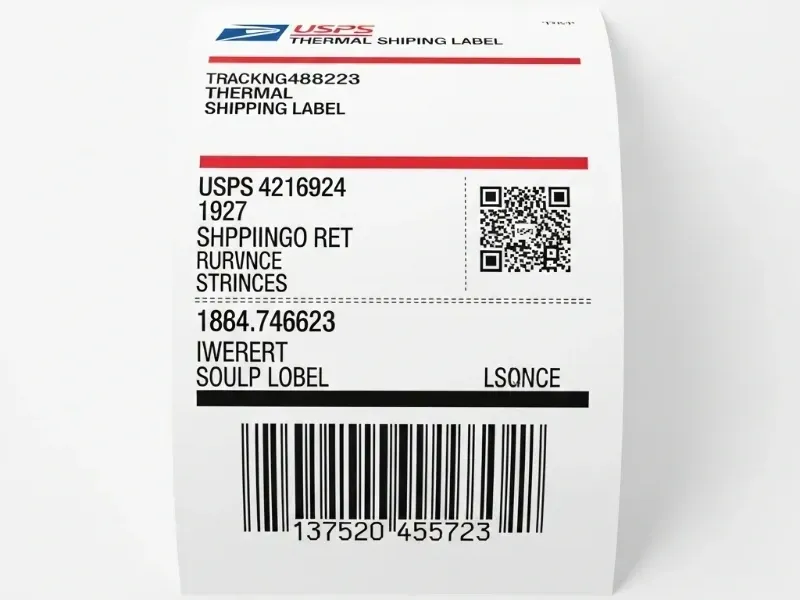
You might wonder if you can get shipping labels for USPS or UPS without paying. Yes, you have some free options for shipping labels when shipping from home. You can create a shipping label online, print it, or use special services if you do not have a printer. USPS and UPS both let you get shipping labels and shipping supplies. Remember, a shipping label is not the same as prepaid postage or free boxes. Labels show where your shipping package goes. Prepaid postage means you already paid for shipping. Free supplies help you pack your shipping items, but you still need a label.
Key Takeaways
You can make and print USPS and UPS shipping labels online for free, but you usually have to pay for postage unless someone else pays for it. If you do not have a printer, USPS Label Broker and places like libraries let you print labels for free. USPS and UPS both give free shipping supplies like boxes and envelopes, but you still need to print and put on a paid shipping label. Third-party platforms like Pirate Ship can help you save money with cheaper shipping rates and easy label printing. Always use official carrier websites or trusted tools to stay safe from scams and make sure your packages ship safely.
USPS Shipping Labels
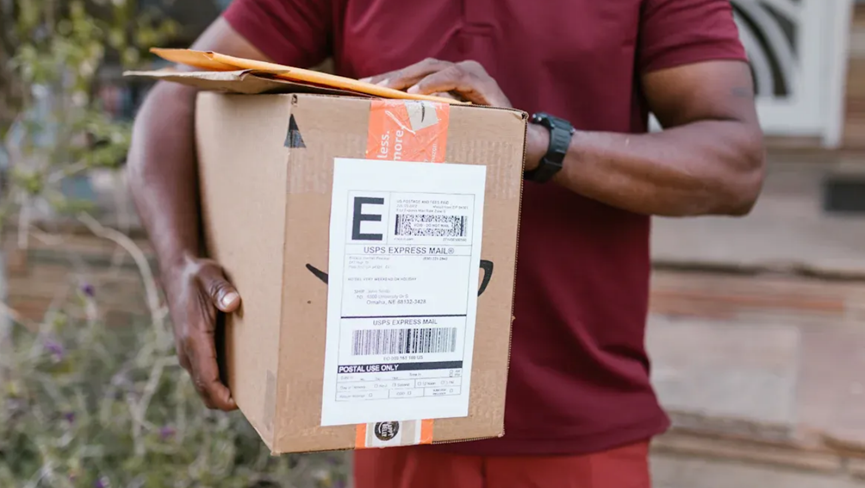
When you want to ship packages from home, usps gives you several ways to create and print usps labels. You can use their website, special services, or even third-party tools. Let’s walk through the main options so you can pick what works best for you.
Click-N-Ship
Click-N-Ship is a popular tool on the usps website. You can create a shipping label for your packages right from your computer. Here’s how you do it:
Go to the usps website and sign in or create an account.
Enter your package details, like weight and size.
Type in the addresses for where your package is going and where it’s coming from.
Choose your shipping service, such as Priority Mail or Priority Mail Express.
Pay for postage using a credit card or PayPal.
Print usps labels at home using your printer.
If you don’t have a printer, you can save the label as a PDF and print it later at a library, office store, or a friend’s house. Click-N-Ship works well for both single packages and small batches. You can also schedule a free pickup from your home after you print usps labels.
Tip: USPS delivers about 167.3 million pieces of First-Class Mail every day. They deliver 85.8% of these on time, and they want to reach 95% soon. You can trust usps to handle your packages reliably.
Label Broker
Don’t have a printer at home? USPS Label Broker helps you print usps labels without needing your own printer. Here’s how it works:
Create your shipping label online using the usps website or a third-party platform.
Choose the Label Broker option at checkout.
You’ll get a QR code by email or on your phone.
Take your package and the QR code to any usps location.
A usps worker will scan your code and print the label for you at no extra cost.
This service makes shipping from home easy, even if you can’t print usps labels yourself.
Free USPS Supplies
USPS gives you free shipping boxes and envelopes for Priority Mail and Global Express Guaranteed. You can order these supplies online from the usps website, and they’ll deliver them to your door for free. You can also pick up supplies at your local post office.
Boxes come in packs of 10 or 25.
Some boxes, like Regional Rate, are no longer available to order but you can still use them if you have any left.
Supplies are made for specific usps services, so check the label on the box before you pack your items.
Note: Free supplies help you pack your packages, but you still need to create and print usps labels for shipping.
Third-Party Platforms
You can also use third-party platforms to create and print usps labels. These tools often give you cheaper rates than the regular usps website. Two popular options are Pirate Ship and Descartes XPS.
Pirate Ship lets you make shipping labels for usps with no fees or hidden costs. You can print postage on any printer and paper. Many users like Pirate Ship because it’s easy to use and gives you access to commercial discounts, like Priority Mail Cubic. You can also schedule free usps pickups for your packages.
Descartes XPS Ship is another free tool for making usps shipping labels. It works for both small businesses and people shipping from home. You can automate tasks, connect to different sales channels, and get free live support. This helps you save time and money when you ship many packages.
Here’s a quick look at how much you can save using these options:
Package Weight & Description | Shipping Zone | Cost Using Free/Discounted Label | Savings Compared to Standard Priority Mail |
10 lb. package | Zone 4 | $9.56 | $3.09 |
7 lb. Tier 2 (0.2 cu. ft.) package | Zone 6 | $10.82 | $10.66 |
3 oz. package | Zone 4 | $3.06 | Over $4 |
8 oz. package | Zone 4 | $3.51 | Over $4 |
4 lb. package | N/A | $4.57 | $3.53 to $14.39 |
You can see that using free usps boxes and discounted labels can save you several dollars on each shipment.
Tip: If you ship many packages, consider setting up a business account on the usps website. You’ll get access to more features and better rates.
How to Print USPS Labels: Step-by-Step
Go to the usps website or your chosen third-party platform.
Enter your package details and addresses.
Pick your shipping service and pay for postage.
Download and print usps labels at home, or use Label Broker if you don’t have a printer.
Attach the label to your package and drop it off at usps or schedule a pickup.
Shipping from home with usps is simple. You have many options for creating and printing shipping labels, even if you don’t own a printer. You can save money, get free supplies, and trust usps to deliver your packages safely.
UPS Shipping Labels
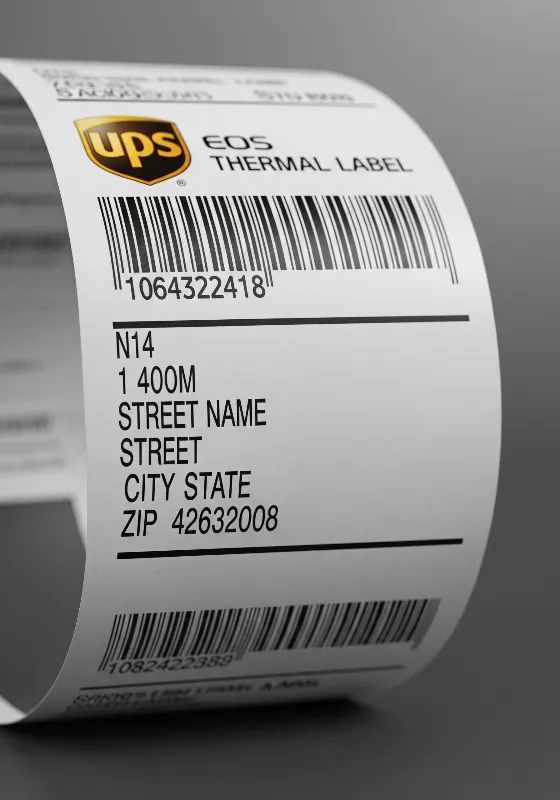
When you ship packages with UPS, you have several ways to create and print shipping labels. You can do everything from your computer, even if you do not have a printer at home. Let’s look at the best options for shipping from home, saving money, and making the process easy.
Create a Shipping Label
You can create a shipping label for your packages right on the UPS website. The process is simple and works for both personal and business shipments. Here’s how you do it:
Go to UPS.com and select “Create a Shipment” from the Shipping tab.
Enter your name and address in the “Ship From” section.
Add the recipient’s name and address in the “Ship To” section.
Fill in your package details, like weight and size.
Pick the UPS service that fits your delivery needs, such as Ground or Next Day Air.
Choose your payment method. You can use a credit card or PayPal, and UPS keeps your payment safe with encrypted processing.
Print your shipping label right from the website.
If you need to reprint a label, log in to your account, go to “View Shipping History,” and print the label again.
UPS CampusShip is another tool for businesses. It lets you create shipments with extra features, like saving addresses and tracking packages. Make sure your computer uses a supported browser and has pop-ups enabled. You can use a regular printer or a thermal printer for your labels.
Tip: Creating labels online saves you time. You can make labels from any device with internet access and reprint them if needed.
Free UPS Supplies
UPS gives you free shipping supplies to help you pack your packages. You can order boxes, envelopes, and label pouches online from the UPS website. UPS delivers these supplies to your door at no cost. You can also pick up supplies at any UPS Store location.
Boxes come in different sizes for various shipping needs.
Label pouches keep your shipping labels safe and easy to scan.
Supplies are designed for UPS services, so check the box or envelope before packing your items.
Note: Free supplies help you pack your packages, but you still need to create a shipping label for each one.
Order and Print Shipping Labels
You can order and print UPS shipping labels from home or any place with internet. If you do not have a printer, you still have options. Here’s a step-by-step guide:
Use the UPS website or a multi-carrier platform to create a label online.
Enter your shipment details and pick the UPS shipping service you want.
Add any extra services, like insurance or delivery confirmation.
Pay for your shipping label online.
Review your label and make changes if needed.
Save the label as a PDF file.
If you do not have a printer, go to a public library, office supply store, or workplace to print your label.
Print the label on adhesive label paper or plain paper.
Attach the label to your package following UPS guidelines.
Many people find this process saves money and time. You do not need special equipment. You can print labels when it is convenient for you.
Tip: Always double-check your label details before printing. This helps avoid mistakes and shipping delays.
Third-Party Tools
You can use third-party tools to create UPS shipping labels and get cheaper rates. These platforms help you compare prices, print labels in bulk, and manage many packages at once. Some popular options include Pirate Ship, Descartes XPS Ship, and ClickPost.
UPS handles over 24 million packages every day in more than 220 countries. You can trust their network for reliable shipping from home.
Third-party tools let you create many labels at once, save time, and reduce mistakes.
You can add your own branding, automate shipping tasks, and get real-time tracking.
Many platforms offer cheaper rates than standard UPS prices, especially for high-volume shippers.
These tools also help with international shipping labels and customs forms.
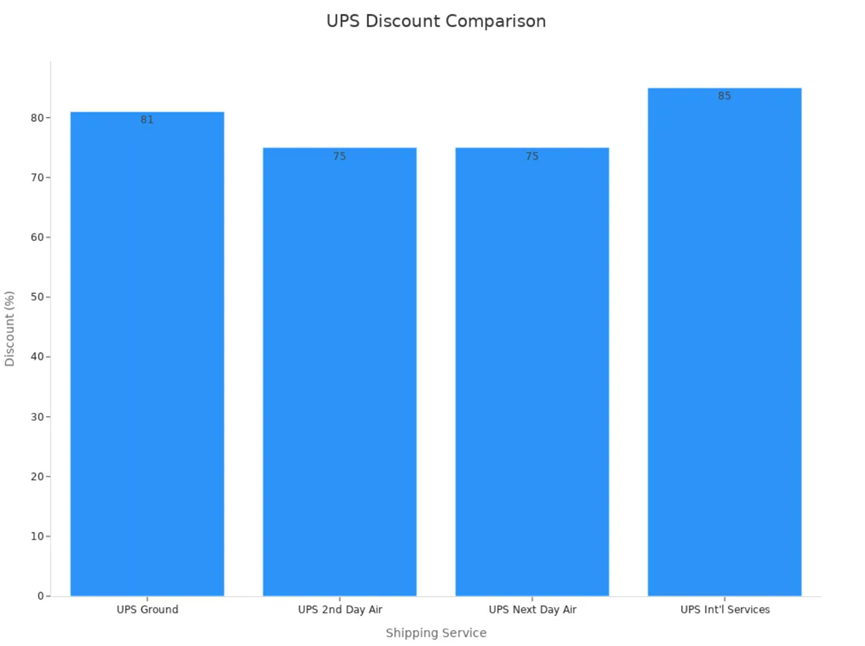
Here’s a table showing how much you can save with discounted UPS shipping labels:
UPS Shipping Service | Discount Percentage Off UPS Daily Rates |
UPS Ground | Up to 81% off |
UPS 2nd Day Air | Up to 75% off |
UPS Next Day Air | Up to 75% off |
UPS International Services | Up to 85% off |
You can also see the savings in this chart:
Note: Always use trusted platforms for your shipping labels. This keeps your packages safe and helps you avoid scams.
Shipping from home with UPS is easy. You can create a label online, order free supplies, and print labels even if you do not have a printer. Third-party tools give you more options and cheaper rates. You can ship packages with confidence, knowing you have the best tools and support.
Print Shipping Labels: Tips and Considerations
When Labels Are Free
You might wonder if you can really get free shipping labels when shipping from home. Most of the time, you only get a truly free label if someone else pays for the postage. For example, some companies send you a prepaid return label. This label already has postage paid, so you do not need to pay anything extra. You just print the label and drop off your package.
A prepaid return label covers the cost of shipping and tracking.
Some labels only show the address and tracking, but you still need to pay for postage.
Prepaid labels make returns easy because you do not need to visit the post office or buy postage.
If you create a label for your own package on the usps or ups website, you usually pay for postage as part of the process. Free labels are rare unless you receive them from a business or as part of a special offer.
Avoiding Scams
Scams can happen when you look for free shipping labels online. Some websites promise free labels but are not safe. You should always use official sites like usps, ups, or trusted third-party tools. Return fraud is a big problem in ecommerce. People sometimes use fake labels or send empty boxes to trick companies.
Tip: Protect yourself by following these steps:
Only print shipping labels from official carrier websites or trusted platforms.
Read the return policy before using a prepaid label.
Never share your account details with unknown sites.
Businesses use clear return policies and special software to spot scams. You can help by being careful and checking your labels before shipping from home.
Supplies vs. Shipping Labels
It is easy to mix up free shipping supplies with shipping labels. Free supplies from usps or ups include boxes, envelopes, and label pouches. These help you pack your items for shipping from home. However, you still need to print shipping labels and attach them to your packages.
Supplies | What They Do |
Boxes/Envelopes | Hold and protect your items |
Label Pouches | Keep your labels safe and readable |
Shipping Labels | Show where your package is going |
Remember, supplies help you get ready to ship, but labels make sure your package gets to the right place. Always check that you have both before shipping from home.
There are lots of ways to get free shipping labels from usps and ups.
You can use online tools like ShippingEasy.com or PitneyShip. These help you print labels and check prices.
You can order free boxes and labels from usps. This is a good way to ship small, light packages.
Make a free ups account to use their shipping tools and get supplies.
Always use the real carrier websites or trusted software. This keeps your shipping safe and saves money.
Want to try? Print your first label at home or order free supplies now!
FAQ
Can I get a free shipping label from USPS or UPS without paying for postage?
You can only get a truly free shipping label if someone else pays for the postage, like with a prepaid return. If you create your own label, you pay for postage.
What if I don’t have a printer at home?
No printer? No problem!
Use USPS Label Broker or print your UPS label at a library, office store, or UPS Store. Just save your label as a PDF and print it when you can.
Are third-party shipping label platforms safe to use?
Most trusted platforms like Pirate Ship or Descartes XPS are safe.
Always check reviews.
Use official links.
Never share your account details with unknown sites.
Do free shipping supplies include prepaid postage?
No, free boxes and envelopes from USPS or UPS do not include postage.
You still need to create and attach a shipping label with paid postage before you send your package.