
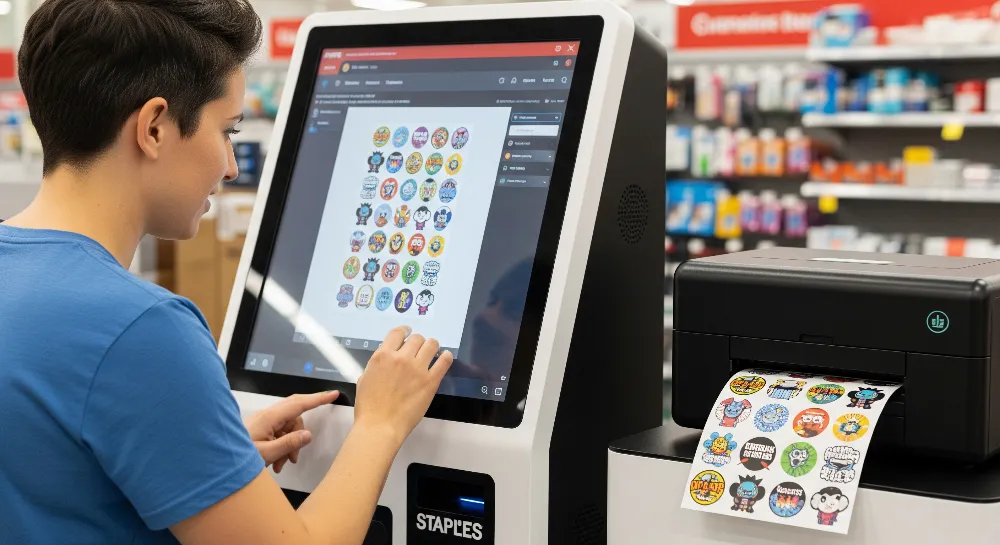
Are you thinking about printing custom stickers at Staples? Staples makes it easy to create custom stickers for any project. You can order online or in the store. This makes things simple and flexible. Staples lets you choose from many materials, shapes, and finishes. Many people like that they can pick up stickers fast or get them delivered. You can make custom stickers for business or for fun. Staples gives you lots of choices.
Key Takeaways
Staples lets you make custom stickers online or in the store. You can pick from many shapes, sizes, and finishes.
You can upload your design or use a template. Staples gives fast same-day pickup for lots of orders.
Pick matte or glossy finishes for your project. Use good images to get clear prints.
Staples sticker paper is strong and acid-free. It works with laser or inkjet printers. The adhesive can be removed.
Ordering is easy with clear prices and many ways to pay. You can choose delivery or pickup.
Custom Stickers at Staples
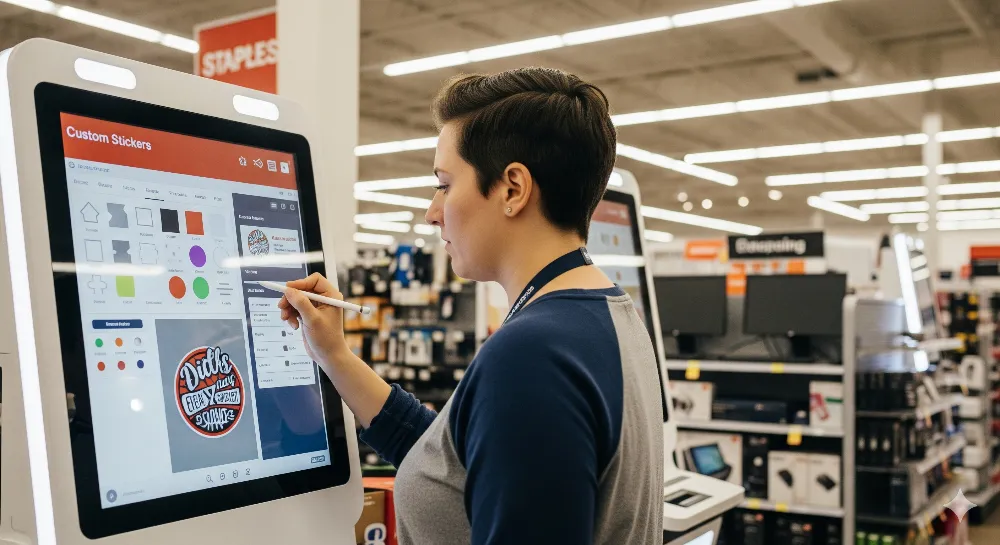
Staples has many custom stickers for work or personal use. You can make stickers for branding, packaging, or school projects. The steps are easy, and you have lots of choices. Staples lets you pick shapes, finishes, and printing styles. Many people like how simple it is to order and get stickers fast.
Types of Custom Stickers
Staples gives you different types of custom stickers. You can pick shapes like circles, ovals, rounded rectangles, or squares. Each shape works for things like product labels or event giveaways. Staples sticker paper has a white matte finish. It looks nice and feels smooth. The paper is acid-free and works with laser or inkjet printers. The backing is strong, and the adhesive is removable. Stickers come off clean without mess. You can order stickers by the sheet and print many at once. Staples also prints custom labels for jars, bottles, or envelopes.
Tip: Customers can look at Staples custom stickers and online printing. This helps you decide what fits your time and budget.
Sticker Uses
Custom stickers from Staples work for lots of projects. Businesses use them for branding, packaging, and promotions. Product labels help items stand out on shelves. Event planners get custom stickers for parties, fundraisers, or school events. Families make custom stickers for scrapbooks or gifts. Staples prices make it easy to print stickers for any event. People who want quick results pick same-day pickup. Staples sticker paper sticks well to folders, boxes, and flat surfaces. Custom stickers at Staples help everyone find what they need.
Product labels for small businesses
Promotional stickers for events
Personal projects like crafts or gifts
Staples label printing service makes ordering custom stickers simple for any need.
Make Custom Stickers
Online vs. In-Store
People can make custom stickers at Staples in two ways. You can order online or go to the store. Each way has good points. Some people like ordering online from home. Others want help from staff at Staples. Here is a simple chart to show the differences:
Aspect | In-Store Design Assistance | Online Design Tool |
|---|---|---|
Assistance | Staff helps with design and printing | Online support, no face-to-face help |
Design Options | Fewer choices for designs | Many templates, easy to change, upload your own designs |
Sample Review | See real samples before you buy | Only see digital samples |
Convenience | You must go to the store and maybe wait | Order anytime from home |
Turnaround Time | Fast for urgent needs | Flexible pickup or shipping |
Flexibility | Hard to change designs last minute | Easy to update designs before you order |
Tip: If you want to see and touch samples, go to the store. If you want more choices and easy ordering, use the online tool.
Staples prices for custom stickers are the same online or in-store. Some people look at other companies for online printing. Staples gives fast service and local pickup.
Upload or Design
Staples makes it easy to make custom stickers. You can use the online tool or get help in the store. The online tool has lots of templates. You can add text, pictures, or logos. You can also upload your own design as JPEG, PNG, or PDF. Canva works with Staples for more creative options.
Here are the steps to order custom stickers online at Staples:
Get your design ready. Make sure it is high-resolution (at least 300 DPI) and saved as JPEG, PNG, or PDF.
Pick your sticker options. Choose the size, shape (circle, square, rectangle, or custom die-cut), and finish (matte or glossy).
Place your order online by uploading your design and picking your options. You can also order in-store if you want help.
Choose how you want your stickers delivered. Pick home shipping or same-day in-store pickup for quick service.
Staples sticker paper works well for most projects. The label printing service helps people get professional stickers. People who want stickers for business or fun can find what they need at Staples.
Same-Day Printing
Staples offers same-day sticker printing for people who need stickers fast. If you order before noon, you can pick up your stickers later that day. This is good for last-minute events or urgent needs. If you do not need stickers right away, Staples has standard shipping. It usually takes five to seven business days.
Note: Same-day printing is only for some sticker types and sizes. Check with your local Staples store for details.
Staples makes it easy to create custom stickers for any project. You can get them quickly. You can order online or in-store. Staples gives reliable custom sticker printing.
Customize Your Stickers
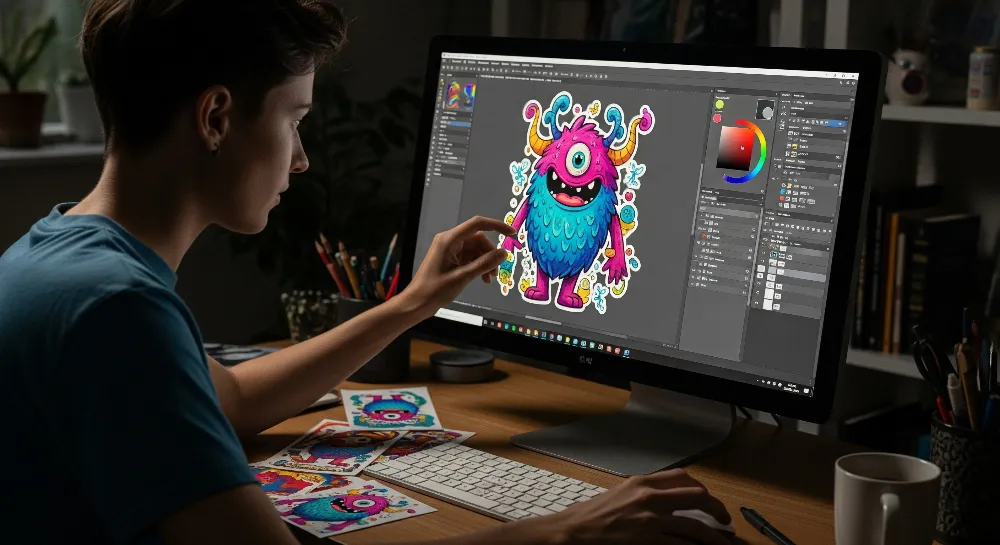
Choose Size and Shape
Staples lets you change your stickers in many ways. You can pick shapes like circles, squares, or rectangles. If you want something different, you can choose custom die-cut shapes. Both the online tool and store staff can help with these choices. Some people ask for special shapes for their brand or event. Staples can make custom shapes and sizes, but very tiny details may not work because of size limits.
Sticker sizes go from small labels to big stickers for packages or ads. You can pick the size that fits your project best. Staples sticker paper works for all these sizes. The label printing service lets you order sheets with lots of stickers. This helps you get the right number for your needs.
Tip: Save your design as JPEG, PNG, or PDF before you upload. Make sure your file is at least 300 DPI so prints look sharp.
Select Finish
Staples has two finishes for custom stickers: matte and gloss. Matte stickers feel smooth and do not shine. You can write on them with pens or markers. Gloss stickers are shiny and bright. Many people use gloss for product labels because colors stand out. Staples sticker paper works with both finishes, so you can pick what you like.
Some people look at Staples stickers and other online printing companies. Staples gives quick service and you can pick up stickers nearby. Their prices are good, so you can choose the finish you want without spending too much.
Personalize with Text and Images
Staples lets you start with a template or make your own design. The online tool helps you add logos, words, or pictures. You can upload your own art or use Canva for more ideas. Staples prints designs clearly, so every part looks good.
People use custom stickers for work, school, or fun projects. Adding a logo or message makes gifts and products special. Staples makes it easy to add bright colors and clear words to your stickers. The design tool checks your images so stickers always look nice.
How to Order Custom Stickers Online
Placing Your Order
Ordering custom stickers online at Staples is simple and fast. The website helps you with every step. First, you pick the sticker type, size, and shape. Staples has circles, squares, rectangles, and custom die-cut shapes. Next, you choose if you want a matte or gloss finish. The online design tool lets you upload your own art or use templates. Many people use Canva with Staples for more design choices.
After you finish your design, you check your choices. Staples shows a digital preview so you can see colors and words. If everything looks right, you add the stickers to your cart. At checkout, Staples takes many payment types. Here is a table that shows what you can use for online sticker orders:
Payment Method | Accepted for Online Custom Sticker Orders? | Notes |
|---|---|---|
Staples® Credit Cards | Yes | Accepted for online purchases including custom printing services |
Visa, MasterCard, Discover, American Express | Yes | Standard credit/debit cards accepted for online purchases |
Gift Cards | Yes | Can be used online but not to purchase other gift cards |
Checks | Yes | Accepted for online purchases |
Visa Checkout | Yes | Alternative online payment method |
American Express Checkout | Yes | Alternative online payment method |
American Express Membership Rewards Pay with Points | Yes | Alternative online payment method |
Cards issued outside the United States | No | Not accepted for online purchases |
Staples shows sticker prices before you pay, so you know the total. The website also shows how size, shape, and amount change the price. Many people look at Staples and other websites to find the best price.
Tip: Always check your design and payment before you order. Staples sticker paper works for most projects. The label printing service helps you get professional stickers.
Pickup or Delivery
Staples gives you two ways to get your stickers. You can pick up your order at a store or get delivery. Same-day pickup is possible for many stickers if you order before noon. This is good if you need stickers fast. For delivery, Staples ships stickers in five to seven business days. The website tells you when your order should arrive.
Staples sticker paper stays strong during shipping. The label printing service packs stickers well, so they do not get damaged. People who need stickers quickly often pick in-store pickup. People who order a lot or plan ahead use delivery.
If you want to order custom stickers online at Staples, the steps are easy. The website helps you from design to payment to pickup or delivery.
Design Tips for Custom Stickers
Image Quality
Good stickers need clear pictures. Staples says use images at 300 dpi. This keeps details sharp and easy to see. If the resolution is low, stickers can look blurry. Always check your files before you upload them. Staples printers work best with high-quality images. Double-check the image quality every time. This step helps your stickers look great.
Tip: Save your images as JPEG, PNG, or PDF. Make sure the file size matches your sticker size.
Color and Readability
Picking colors is important for custom stickers. Strong contrast helps people read words easily. Light colors can print even lighter and be hard to see. Use dark text on light backgrounds or white text on bold colors. Sans-serif fonts make words easy to read. Staples sticker paper shows colors well. High-contrast designs give the best results. Pantone colors work for big solid areas, but most people use regular colors for stickers.
Note: Do not use very light colors for text or backgrounds. They may not print as clearly as they look on your screen.
Branding Ideas
Custom stickers help brands get noticed. Businesses add logos, slogans, or contact info to stickers. For events, people use stickers for team names or dates. Personal projects look better with favorite colors or fun pictures. Staples lets you try different shapes and sizes for your brand. Using the same colors and fonts makes stickers look professional. Anyone can use the online tool to test ideas before printing.
Staples vs. Online Printing: Quick Comparison
Feature | Staples | Professional Online Supplier |
|---|---|---|
Cost | Competitive, local pickup | Varies, often bulk discounts |
Materials/Finishes | Standard sticker paper, matte or gloss | More specialty options available |
Turnaround Time | Same-day or 5-7 days | Usually 5-10 days, shipping only |
Design Help | In-store staff, online tool | Online support, more templates |
Staples custom stickers work for most people. People who want fast service and local pickup choose Staples. Those who need special materials or big orders look at online suppliers. Both choices help you make stickers that fit your style and budget.
Staples helps people make stickers that look good and last long. You can order stickers online or get help in the store. You can choose the size, shape, and finish you want for your project. Many people pick Staples for these reasons:
Stickers are strong for inside and outside use.
There are many ways to order and change your stickers.
You can get your stickers fast with pickup or delivery.
Customer support is ready to help you.
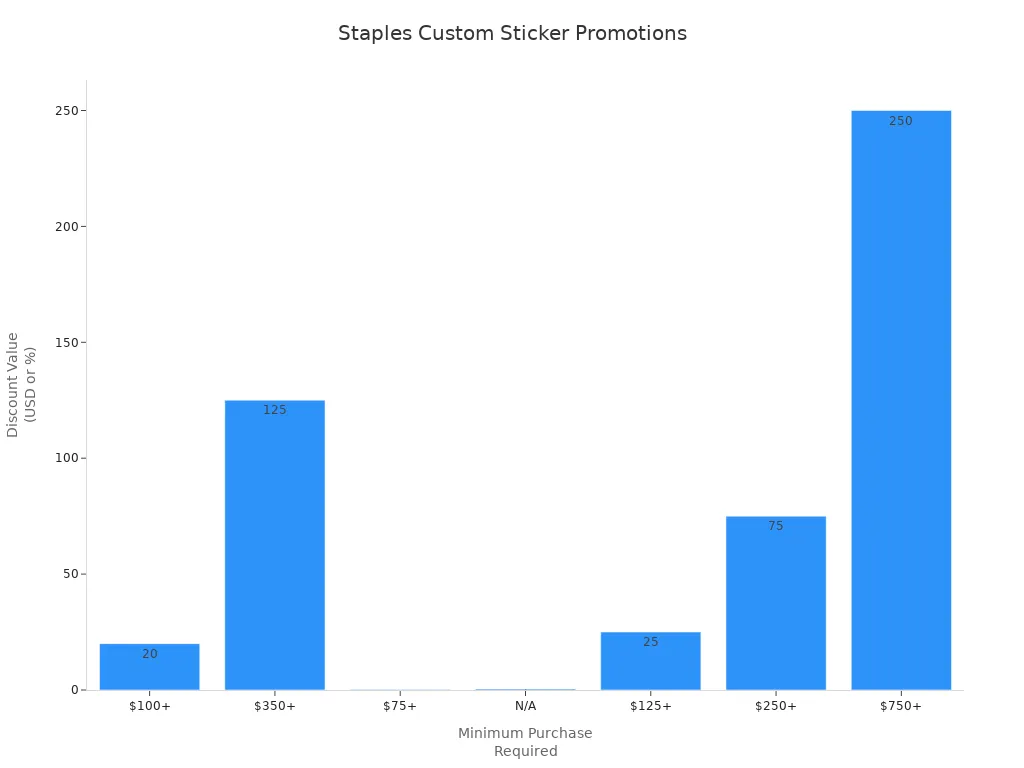
You can save money with deals and rewards at Staples. Check the Staples website for new offers before you order.
FAQ
How much do Staples custom stickers cost?
The price for Staples custom stickers changes by size, shape, finish, and how many you buy. You can look at the Staples website to see the latest prices. If you order a lot, you usually pay less for each sticker. The online tool will show you the price before you pay.
What type of sticker paper does Staples use?
Staples uses white sticker paper that is acid-free. It works in both inkjet and laser printers. The paper has strong glue but comes off without a mess. You can pick matte or gloss finishes for your stickers.
Can I get same-day pickup for custom stickers?
Yes, you can get same-day pickup for many sticker types at Staples. You must order before noon to get this service. Not every size or shape is ready the same day, so check online first.
How does Staples custom stickers vs online printing compare?
Staples lets you pick up stickers fast and get help with your design. Online printing companies might have more materials or give discounts for big orders. Staples is good if you want your stickers quickly or need help in person.
Can I use my own design for custom stickers?
Yes, you can use your own design for custom stickers. You can upload your art or pick a template. The Staples online tool takes JPEG, PNG, or PDF files. You can also use Canva for more creative choices.