
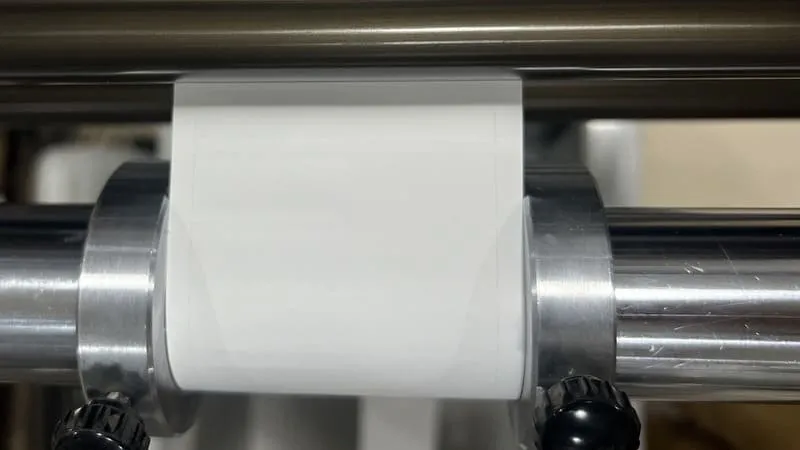
Anyone can make custom labels for their products in 2025 by following easy steps. With the right tools, anyone can design, pick materials, and print labels that look nice. Good label and packaging design works like a salesperson on the shelf. It shapes how people see a brand and helps products stand out. Brands like Coca-Cola and Apple use label design to help people know and trust them. Custom labels do not need a lot of money or special skills. This makes them a smart choice for any business size.
Key Takeaways
You can use simple online tools or strong desktop software to make labels for your brand and product. Pick the label size, shape, colors, and fonts that help your product stand out. These choices also help customers trust your product. Add clear product details and follow the law so customers know what they are buying. This also helps you avoid trouble. Choose label materials and finishes that fit how your product is used. This keeps labels safe from water, sunlight, and damage. You can print labels at home for small amounts. For big orders or better quality, use a professional printer.
Custom Labels Tools
Online Design Platforms
Online design platforms help people make labels easily. Many people use Canva, Maestro Label Designer, DesignNBuy, and OnPrintShop. These sites have lots of templates to choose from. Users can pick a style and start making labels fast. Here are some popular choices:
Platform | Description | Best For |
|---|---|---|
Canva | Drag-and-drop, template-rich, beginner-friendly | Beginners, casual users |
Maestro Label Designer | Web-based, barcode tools, easy to use | Small businesses, label makers |
DesignNBuy | Customizable, supports variable data, e-commerce links | Print businesses, SMEs |
OnPrintShop | Scalable, real-time preview, API integration | Print shops, online sellers |
These platforms let people upload logos or product pictures. Teams can work together on the same design. This helps keep the brand looking the same. Some tools show changes right away as you work. Variable data printing lets businesses make many different labels at once. For example, they can add different names or barcodes.
Desktop Software
Desktop software gives designers more power and features. Programs like Adobe Creative Suite help users make detailed label designs. They can use special shapes, fonts, and images. These programs can also make barcodes and nutrition labels. They can do mail merge for printing many labels at once. Desktop software does not limit how many designs you can make. You can print labels directly from the program. This is best for people who want detailed or special labels.
Tip: Desktop software is great for people who want more creative choices and strong design tools.
Templates and Uploads
Template libraries help save time and make things easier. Users can search for templates by label type or industry. These templates have forms for data already set up. This makes designing and printing faster. If someone wants a special look, they can upload their own design. Platforms like BarTender Designer let users upload custom templates. Then, they can print them with just a few clicks. These features help people make Custom Labels quickly, correctly, and with lots of options.
Label Design
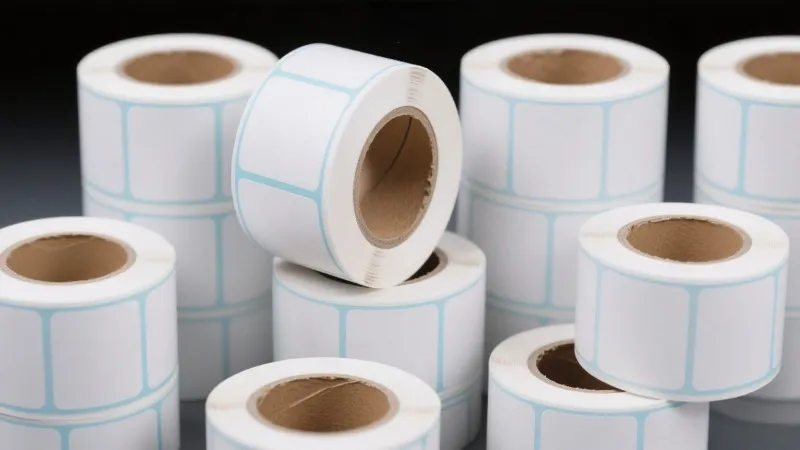
Branding Elements
A good label starts with strong branding. The label should show what the brand is like. It helps people find the product fast. Companies use fun designs and bright colors to get noticed. This makes more people know about the brand. Putting logos and names in clear spots helps shoppers see what they are buying. Using the same colors, fonts, and pictures on all sides builds trust. It also helps people remember the brand.
Pick special colors and fonts to be different from others.
Use nice images that the target group will like.
Keep the brand name and logo easy to see.
Make sure every side of the package looks like the brand.
Tip: When all products look the same, people remember the brand. Think of Coca-Cola’s red or Apple’s simple style.
Colors are very important. Red and yellow can make people feel hungry. Green often means healthy. Bright colors make things exciting. Cool colors like blue and green help people trust the brand. Picking the right colors and fonts changes how people feel. It can even make them want to buy the product.
Size and Shape
Picking the right size and shape for a label matters. Labels must fit the product and look good. Most products use rectangles, circles, or ovals. Some brands use special shapes like hexagons or triangles. These shapes help the product stand out on the shelf. Special shapes can make a product seem unique and easy to spot.
Label Shape | Standard Sizes (inches) |
|---|---|
1″, 2″ | |
Rectangle | 2″ x 1″, 3″ x 2″, 3″ x 5″ |
Squares and rectangles are used for food, cosmetics, and shipping.
Ovals and custom shapes make the product look different.
The shape of a label can help with stacking and showing off the product. When the label uses the brand’s colors and fonts, it is easy to see from far away. Curved lines make a product feel friendly. Sharp angles make it look modern.
Product Information
Labels do more than look nice. They give shoppers the facts they need. Clear and honest information helps people trust the brand. It also helps them feel good about buying. When shoppers see all the details, they know if the product is right for them.
Required Label Information | |
|---|---|
Food | Product name, net quantity, manufacturer/packer/distributor name and address, ingredients list, nutritional information, allergen warnings |
Cosmetics | Product name, net weight, manufacturer or distributor name and address |
Household Goods | Product name/purpose, manufacturer/packer/distributor name and address, net quantity |
Good labels have easy-to-read instructions, ingredients, and warnings. This helps people use the product safely. When brands give clear and full information, shoppers feel sure and happy.
Note: Giving the right product information can stop returns. It also helps keep customers coming back.
Legal Details
Every label must follow the law. Rules are different in each country and for each product. Brands must keep up with these rules. Labels for food, cosmetics, and household goods need certain details. This keeps shoppers safe and avoids legal problems.
Market | |
|---|---|
US | Declaration of 8 major allergens plus sesame; ingredient list; Nutrition Facts panel; gluten-free claim verification |
EU | Highlight allergens; multilingual labels; nutrition declaration; origin labeling for certain meats |
Canada | Bilingual labeling; Nutrition Facts table; allergen declarations; ingredient list |
Japan | Additive information; JAS compliance for quality and safety |
China | Nutritional info; production/expiration dates; QR codes for traceability; labels in Simplified Chinese |
India | Vegetarian/non-vegetarian marks; nutritional info; allergen declarations; labels in English or Hindi |
Always list ingredients and allergens to keep people safe.
Make sure claims like “gluten-free” follow the rules.
Use fonts that are easy to read and the right size.
Do not make health claims that are not allowed.
Tip: Check all legal details before printing. If something is missing or wrong, it can cause fines or recalls.
Look at the label design before printing. Make sure all branding, product info, and legal details are correct and easy to read. This step helps find mistakes and makes the label look good.
Materials and Printing
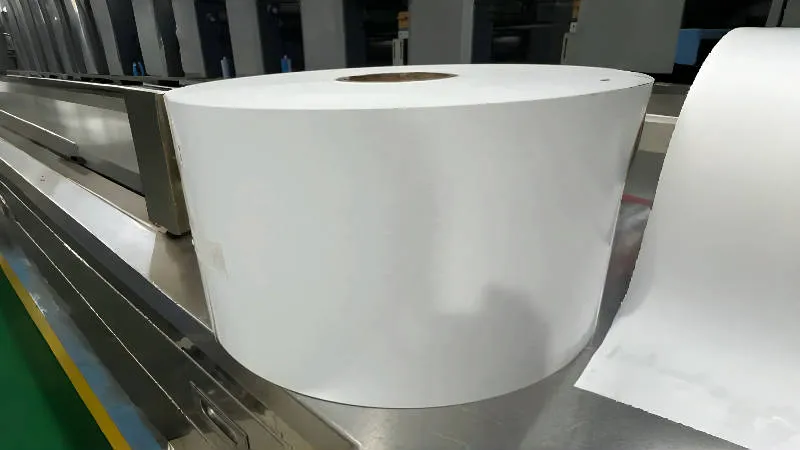
Label Materials
Picking the right label material is very important. In 2025, brands have more choices than before. Many companies now use materials that help the planet. People want eco-friendly labels, so brands pay attention.
Paper-based labels use recycled paper, hemp, or plant fibers. These break down fast and are good for nature.
Biodegradable labels, like PLA from cornstarch, are great for organic brands. They break down on their own and make less trash.
Water-based inks and non-toxic adhesives keep labels safe and easy to recycle. Some adhesives even wash away in water.
Here’s a quick look at popular label materials and where they work best:
Label Material | Typical Product Types | Key Properties and Popularity Reasons |
|---|---|---|
White Paper Labels | General use where durability is not critical | Cost-effective, least durable, suitable for non-durable labeling needs |
White BOPP Labels | Oil, cosmetic, beverage, drink products | Durable, water and moisture resistant, non-tearable, popular for durability and resistance |
Silver BOPP Labels | Premium and luxury products | Durable, shiny metallic look, oil resistant, attracts consumer attention |
Gold Labels | High-end and luxury brands | Premium appearance, metallic gold foil options, associated with luxury |
Kraft Paper Labels | Natural and environmentally focused brands | Rustic look, eco-friendly aesthetic, popular for natural branding |
BOPP and vinyl labels are known for being strong. BOPP labels are thin and bend easily. They do not get ruined by water, chemicals, or sunlight. Vinyl labels are thicker and work well outside or in rough places. Both cost more than paper but last much longer.
Tip: If your product gets wet, oily, or sits in the sun, BOPP or vinyl labels work best.
Home Printing
Home printing lets small businesses and hobbyists do things their way. They can print labels when needed and change designs quickly. This saves money for small batches and helps test new ideas.
Print labels right away with no waiting.
Check quality yourself at home.
Change designs or add new info fast.
Save money if you only need a few labels.
But home printing has some problems. Putting labels on by hand takes a lot of time. The materials and finishes may not look as good as pro printers. Labels might come off if they get wet or touched a lot. Sometimes, home-printed labels do not look as nice.
Advantages (Pros) | Disadvantages (Cons) |
|---|---|
Time-consuming manual label application. | |
More room for variation and quick customization. | Requires separate purchases for labels and packaging. |
Ability to print labels yourself at home, reducing costs. | Labels may wear off due to moisture or handling. |
Labels can look less professional compared to custom printed packaging. |
Home printing is best for small batches, quick changes, or trying new ideas. When a business grows, many switch to pro printing for better quality and longer-lasting labels.
Professional Printing
Professional printing services make Custom Labels look even better. They use special machines and inks to make labels sharp and long-lasting. These services help brands match colors perfectly, which builds trust.
Professional printers use color systems like Pantone and give color samples. They check colors with special tools and follow strict rules. They also use the same ink batch for big orders, so every label matches. Brands can talk with printers to check colors before printing starts.
Here’s a quick look at costs and timing for professional printing in 2025:
Printing Method | Per-Label Cost Range | Setup Fees | Minimum Order Quantity | Turnaround Time | Additional Notes |
|---|---|---|---|---|---|
On-Demand Printing | $0.10-$0.20 (small runs) | None | Flexible | Fast (1 business day) | Cost-effective for <5,000 labels |
$0.05-$0.10 (high volume) | Avoids setup fees | ||||
Bulk Printing | $0.01-$0.05 (large runs) | $200-$1,000 per design | 5,000-10,000 labels | 1-3 weeks | Rush fees can double costs |
Professional printing costs more at first, but the quality is worth it for big orders. Brands get more choices for materials, finishes, and special effects.
Note: Ordering more labels at once keeps colors the same and lowers the price per label.
Finishes and Durability
The finish on a label changes how it looks and how long it lasts. Some finishes make labels shiny, while others feel soft and smooth. The right finish protects labels from water, sunlight, and scratches.
Finish Type | Durability Impact | Appearance Impact | Typical Use Case/Notes |
|---|---|---|---|
Gloss Finish | Protects inks from rubbing and smearing; indoor use | Shiny, reflective surface | Popular for indoor labels; not ideal for outdoor fading |
Matte Finish | Protects inks; indoor use | Flat, soft, subtle look | Provides a non-glare, understated appearance |
Outdoor Lamination | Prevents cracking, yellowing, peeling outdoors | Maintains label integrity | Essential for outdoor labels exposed to elements |
Spot UV Coating | Protects specific label areas | Adds glossy accents and texture | Enhances aesthetic effects; can be used for coding |
Foil Stamping | Adds metallic foil that is durable and eye-catching | Metallic shine in gold, silver, and colors | Used in luxury, beauty, wine, and alcohol packaging |
Embossing | Adds tactile 3D raised effect | Creates depth and craftsmanship feel | High-end food, wine, and specialty gift packaging |
Tactile Varnish | Adds texture, can improve grip and inclusivity (braille) | Raised tactile feel enhancing interaction | Beverage, automotive, toiletry products |
Soft Touch Coating | Provides velvety texture, reduces glare | Smooth, premium feel | Beauty products, perfumes, skincare |
Finishes like lamination and UV coatings protect labels from sunlight and water. This keeps colors bright and labels stuck tight, even in tough spots like fridges or outdoors. Polyester-based materials help stop scratches and keep labels looking new.
Environmental Factor | Impact on Labels | Recommended Label Finish / Material | Effect on Shelf Life and Resistance |
|---|---|---|---|
Sunlight (UV Exposure) | UV rays cause chemical breakdown of inks, dulling color and luster | Laminate films, UV coatings | Protects against UV damage, maintaining color and extending shelf life |
Moisture / Water Exposure | Water and moisture degrade adhesion and appearance | Laminated finishes | Provides superior moisture resistance, prolonging label durability especially for refrigerated or moisture-exposed products |
Physical Abrasion | Scratches reduce label appeal and effectiveness | Polyester-based materials | Mitigates scratch damage, prolonging service life |
Storage Conditions | Improper conditions can reduce shelf life | N/A | Proper storage (72°F, 50% RH) supports label longevity but finish plays a crucial protective role |
Tip: Picking the right finish keeps labels looking good and saves money by stopping reprints.
Printing Labels
Print Setup
Getting the print setup right makes a big difference in label quality. Many people use label templates to keep designs aligned and the right size. Templates match the label sheet, so the design prints in the right spot every time. To avoid misalignment, users should set the print scale to 100% and turn off any “scale to fit” options. Margins should be set to zero or “none.” Test prints on plain paper help spot problems before using real label sheets.
For the best results, users should:
Clean the printhead and rollers with isopropyl alcohol and lint-free cloths.
Calibrate the printer using the device software to keep labels feeding straight.
Use high-quality labels and ribbons that match the printer.
Keep printer drivers and firmware updated.
Store the printer in a clean, dry place away from sunlight and dust.
Tip: Always check the label template code matches the label sheets. This keeps everything lined up.
Cutting and Application
After printing, labels need to be cut and applied. There are several ways to cut labels, each with its own benefits:
Advantages | Disadvantages | |
|---|---|---|
Rotary Die Cutting | Fast, precise cuts | Expensive, best for big batches |
Flatbed Die Cutting | Cuts thick materials, lower tool cost | Slower, longer setup |
Digital Knife Cutting | No dies needed, good for small runs | Not for very thick materials |
Laser Cutting | High precision, creative shapes | High equipment cost |
For applying labels, users should clean and dry the product surface first. Using a label applicator or dispenser helps place labels straight. Smoothing the label from the center out removes air bubbles and wrinkles.
Troubleshooting
Sometimes, printing does not go as planned. Common issues include smudged ink, blurry designs, or misaligned labels. Here are some quick fixes:
If ink smears, run the printer’s cleaning tool and use dry, standard paper.
For blurry prints, check that images are at least 300 dpi and use the right label size.
If labels print off-center, double-check the template and set print scale to 100%.
When text is hard to read, use a font size of at least 8 points and strong color contrast.
If paper jams happen, clean the rollers and load the correct label type.
Note: Regular cleaning and using the right materials help prevent most printing problems. Always run a test print before starting a big batch.
Pro Tips
Avoiding Mistakes
Even people who know a lot about design can make mistakes with custom labels. These mistakes can waste both time and money. Here are some common problems people have:
Using the wrong label type for the printer, like putting inkjet labels in a laser printer
Not lining up templates, which makes prints look crooked
Skipping printer calibration, so prints turn out blurry or faded
Keeping labels in damp or hot places, which makes the sticky part weak
Picking the wrong sticky stuff, so labels fall off too soon
Choosing a label size that does not fit the product or printer
Forgetting to add fonts or pictures in the artwork file
Missing bleed areas, which can cut off colors or designs
Designing in RGB color mode instead of CMYK, so colors do not match
Using low-resolution images, making prints look fuzzy
Putting borders too close to the edge, so misalignment is easy to see
Making spelling or typing mistakes on the label
Using hard-to-read fonts or bad color choices
Filling the design with too much text or too many images
Picking materials that do not work well with the product’s environment
Tip: Always check your design and print a test label before making a big batch.
Enhancing Appearance
A great label does more than just stick to a product. It catches people’s eyes and tells a story. Designers use special tricks to make labels stand out. Here are some popular ways to make labels look better:
Advanced Design Technique | Description |
|---|---|
Uses simple fonts and strong order so people can read important info fast. | |
Interactive and smart labels | Adds QR codes or AR features for extra product details or fun experiences. |
Sustainable and eco-friendly labels | Uses recyclable or biodegradable materials to attract eco-conscious shoppers. |
Features hand-drawn or custom fonts for personality and emotion. | |
Includes embossing, soft-touch varnish, or raised patterns for a tactile feel. | |
Unique premium materials | Uses special papers, metallic finishes, or velvet for a luxury look. |
Creative embellishments | Combines embossing with foil stamping for eye-catching effects. |
Narrative illustrations | Tells a brand story with custom artwork or characters. |
Minimalism and maximalism mix | Balances simple and bold elements for a modern look. |
Designers often try new ideas with focus groups or surveys to see what people like best.
When to Outsource
Sometimes, printing labels at home is a good idea. Other times, sending the job to a pro saves money and gives better results. Outsourcing is best for big orders or tricky jobs that need high quality and perfect colors. It also helps when a business does not want to buy expensive printers or pay setup fees. Printing at home works for small batches, quick changes, or when you do not want to order a lot at once.
Factor | In-House On-Demand Printing | Outsourced Bulk Printing |
|---|---|---|
Equipment Cost | Minimal | |
Setup Fees | None or minimal | $200-$1,000 per design |
Minimum Order Quantities | None | 5,000-10,000 labels |
Per-Label Cost (Small Runs) | Higher, but flexible | High due to setup and MOQs |
Per-Label Cost (Large Runs) | Higher than bulk | Lower for large volumes |
Turnaround Time | Immediate, on-demand | 1-3 weeks, rush fees possible |
Waste Risk | Low, print only what is needed | High, risk of unused labels |
Outsourcing helps brands get pro-quality labels for big jobs. Printing at home is fast and flexible for small batches.
Designing Custom Labels in 2025 feels simple when someone follows the right steps. They pick the best tools, create a design, choose strong materials, and print with care. These steps help any product look sharp and professional. Great labels grab attention and make people remember a brand. Now is the perfect time to try new ideas and see what works best. A strong label can turn a simple product into a favorite on the shelf.
FAQ
How can someone make sure their labels print in the right spot?
Printing labels in the right spot takes a good template. They should always match the template code to the label sheets. Test prints on plain paper help spot problems before using real labels.
What is the best way to pick label material for a product?
They should think about where the product will go. Wet or outdoor products need waterproof labels. Food or eco-friendly brands might use paper or biodegradable labels. A quick chat with a label supplier can help.
Can a small business print labels at home and still look professional?
Yes! Many home printers work well for small batches. Using high-quality label sheets and sharp designs helps. For a super polished look, they can try glossy or matte finishes.
Do labels need to follow any legal rules?
Yes, labels must follow local laws. Food, cosmetics, and household goods have special rules. They should check for things like ingredient lists, allergen warnings, and correct font sizes.
What should someone do if their labels keep peeling off?
They should clean the product surface before applying the label. Picking the right adhesive for the product’s environment helps. If labels still peel, switching to a stronger adhesive or different material can fix the problem.