

Warehouse teams use mobile printer labels for fast and correct work. Zebra ZQ630 and ZQ600 Series are the best label printers for busy places. Honeywell PX940 also works very well. The mobile models below help staff label shelves, packages, and inventory quickly.
Model | Key Features | Warehouse Uses |
|---|---|---|
Zebra ZQ600 Series | Easy to carry, smart technology | Shelf, tags, receipts |
Zebra ZQ630 | RFID, long-lasting battery | Pallets, cases |
Honeywell PX940 | Checks quality, very tough | Large logistics |
Key Takeaways
Mobile printer labels let warehouse workers print labels fast and right where they are. This saves time and helps stop mistakes.
Picking the best mobile label printer means you need to look at things like how tough it is, how long the battery lasts, and how it connects. These features should fit your warehouse needs and daily jobs.
Mobile label printers help workers keep track of inventory better. They also make warehouse jobs faster. This helps teams stay organized and finish work on time.
Mobile Printer Labels Overview
What Are Mobile Printer Labels
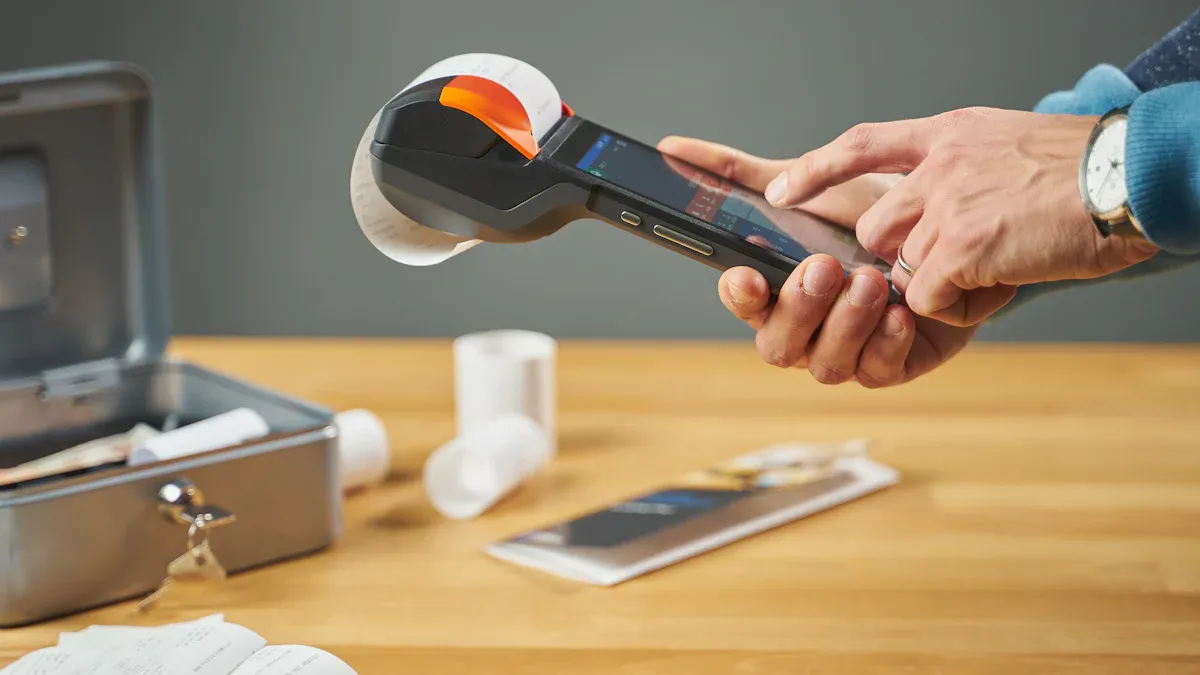
Mobile printer labels are made by small printers workers can carry. These printers are tough and easy to move around. Staff can print labels right where they are working. They can stand in an aisle or ride a forklift and still print. Mobile label printers use different ways to print, like direct thermal or thermal transfer. This helps make labels for many warehouse jobs.
Note: Mobile label printers work anywhere in the warehouse. They connect with Bluetooth or Wi-Fi. Workers can print from handheld devices, tablets, or warehouse vehicles.
Here is a simple table to show how mobile label printers are different:
Printer Type | Industrial Label Printer | Desktop Label Printer | Mobile Label Printer |
|---|---|---|---|
Build | Heavy-duty, metal | Compact, plastic | Rugged, handheld |
Volume | High | Medium | Low to Medium |
Speed | Very fast | Moderate | Moderate |
Connectivity | USB, Ethernet, Wi-Fi | USB, Wi-Fi | Bluetooth, Wi-Fi |
Portability | Fixed | Desk-based | Highly portable |
Best For | Factories, shipping | Offices, retail | Fieldwork, warehouse |
Mobile printer labels come in many shapes and materials. Some labels are strong and last a long time. Others are simple and easy to take off. The best label depends on what the warehouse needs.
Why They Matter in Warehouses
Mobile printer labels are very important in warehouses. They help workers label things right where they are. This means workers do not have to walk to a big printer. In busy places, mobile printing saves time and helps stop mistakes.
Workers use mobile label printers for:
Receiving goods and printing labels when items arrive.
Cross-docking, so products move fast from one truck to another.
Putaway, so staff can label storage spots right away.
Picking, to help sort and track items for orders.
Packing and shipping, to make sure every box has the right label.
Mobile printer labels also help with asset tracking, inventory control, and compliance. Workers can print labels for spare parts, damaged goods, or special orders without leaving their spot. This makes the warehouse work better and faster.
Tip: Mobile printing helps warehouses keep up with fast-moving inventory. It helps teams stay neat and correct, even during busy times.
Increased Efficiency in Warehouse Management
Productivity Benefits
Mobile printer labels help warehouse teams work faster. Workers walk through aisles and print labels right where they are. This saves time and makes work easier. They do not need to go back to a big printer. They can label shelves, bins, and packages right away. This helps them finish daily jobs faster.
Warehouse staff use mobile label printers to label things quickly. They print labels for each item, box, or pallet. This helps them keep up with fast-moving inventory. It also helps them meet tight deadlines. Mobile label printers make labeling faster and more correct. Teams finish jobs quickly and have fewer delays.
Tip: Mobile printer labels help workers stay neat and avoid mistakes. They can print labels for damaged goods, returns, or special orders without leaving their spot.
Inventory Accuracy
Mobile printer labels help make inventory management better. Barcode scanning with mobile computers and label printers makes inventory more correct by about 50% compared to doing it by hand. Workers use labels to track items as they move. This helps them find mistakes before they get bigger.
Exact tracking of items, so workers find things faster
Automated counting that makes audits easier and cuts mistakes
Fewer times when items run out or pile up because of good alerts
Fast finding and fixing of inventory problems
Barcode labels almost stop mistakes from typing by hand. Mistakes drop from common errors to as low as 1 in 15,000 or even 1 in 36 trillion. This means warehouse teams get good data for planning and working better. Fast and correct labeling helps count stock better, makes fewer shipping mistakes, and helps teams make smart choices in the warehouse.
Key Features of Mobile Label Printers
Durability
Warehouse teams need printers that can last a long time. Many mobile label printers are made to handle water and dust. Some can survive drops from over 2 meters and many tumbles. Industrial label printers are built to be very tough. For chemical labeling, BS5609 means a label stays readable underwater for 30 days. These strong printers and labels can handle drops, spills, and rough use every day.
Connectivity
Mobile label printers need to connect easily. Most use Bluetooth and Wi-Fi for printing from devices. Some printers use fixed IP addresses for network access. This helps them work with warehouse management systems. Ethernet and USB are also used for quick setup. Good connections let teams print anywhere in the warehouse.
Battery Life
A strong battery keeps printers working all shift. Many label printers last about 8 hours per charge. Some can print 3,600 labels in 3 hours without stopping. Quick charging and removable batteries help teams stay ready. Battery health indicators show when to swap or charge.
Feature | Details |
|---|---|
Battery Life | 8 hours per charge |
Continuous Printing | 3 hours (3,600 labels) |
Recharge Time | 3 hours |
Print Speed
Fast print speed helps teams keep up with work. Industrial label printers like the Alpha Series print quickly for hard jobs. Lighter models like the TDM Series print slower but are good for small labels. Some printers focus on making barcodes and QR codes clear.
Label Compatibility
Label printers need to work with many label types. They support 1-4 inch labels, direct thermal, and thermal transfer labels. Most work with Windows, macOS, Android, and iOS. Teams can print asset tags, shipping labels, and barcode labels. Easy software lets users make custom labels. These printers also connect with asset management software and warehouse systems for easy tracking.
Tip: Pick mobile label printers that work with your warehouse software and label needs for the best results.
Best Label Printer Options
Top Mobile Printer Labels
Warehouse teams want the best label printer for their daily jobs. The right choice depends on how tough the warehouse is, how many labels need printing, and what devices workers use. Here are some of the top label printers that stand out for warehouse management:
Zebra ZQ630 Plus
This printer is a favorite for busy warehouses. It has a long battery life and prints fast. Workers can use it with Bluetooth or Wi-Fi. The ZQ630 Plus handles many label sizes and types. It works well for shelf, pallet, and shipping labels. The smart design makes it easy to carry all day.Zebra ZQ220 Plus
The ZQ220 Plus is a good choice for teams who want a lighter printer. It prints labels up to 2 inches wide. This model is budget-friendly and easy to use. It connects with mobile devices and works well for small labels and receipts.Honeywell PM45
The Honeywell PM45 is built for tough jobs. It has an all-metal body that can handle drops, dust, and rough use. This printer supports high-volume printing and keeps working in harsh places. The PM45 prints fast and has advanced features like WWAN for real-time updates. It is great for large warehouses that need lots of labels every day.The Honeywell PM45 stands out for its rugged design and high print speed. It can print up to 14 inches per second and keeps going even in harsh environments. The all-metal build means fewer repairs and less downtime. This printer is a smart pick for teams who need reliable, high-volume label printing.
Brother RuggedJet RJ-4250W
The RJ-4250W is small but tough. It prints labels up to 4 inches wide. This printer is easy to mount on forklifts or carry around. It connects with Wi-Fi and Bluetooth. The RuggedJet is good for teams who need a mix of speed, size, and ruggedness.Citizen CMP-30II
The Citizen CMP-30II is another strong choice. It prints labels and receipts up to 3 inches wide. The battery lasts a full shift. This model is light and easy to use. It works well for mobile teams who need to print labels on the go.Rollo Wireless Label Printer
The Rollo Wireless is a modern printer with Wi-Fi and USB. It prints fast and supports many label sizes. This model is good for teams who want a flexible, easy-to-set-up printer. It works with both Windows and Mac.Brother QL-800
The QL-800 is the best paper label printer for simple jobs. It prints clear labels for bins, shelves, and packages. This printer is easy to set up and use. It is a good choice for teams who want a budget-friendly option.
Tip: The best label printer for your warehouse depends on your needs. Some teams need rugged printers for tough jobs. Others want the best full-color label printer for special labels. Always match the printer to your daily tasks.
Comparison Table
Choosing the best label printer means looking at key features. Teams should compare print speed, battery life, connectivity, and label compatibility. The table below shows how the top label printers stack up:
Model | Print Speed | Battery Life | Connectivity | Label Width | Durability | Best Use Case | Price Range |
|---|---|---|---|---|---|---|---|
Zebra ZQ630 Plus | Up to 4.5 in/sec | 8-10 hours | Bluetooth, Wi-Fi | Up to 4 in | Rugged | High-volume, mobile teams | $516+ |
Zebra ZQ220 Plus | Up to 3.5 in/sec | 8 hours | Bluetooth, Wi-Fi | Up to 2 in | Light rugged | Budget, receipts, small labels | $350+ |
Honeywell PM45 | Up to 14 in/sec | N/A (industrial) | Wi-Fi, WWAN, USB | Up to 4.7 in | All-metal, rugged | Harsh, high-volume, industrial | $1,500+ |
Brother RJ-4250W | Up to 5 in/sec | 8 hours | Bluetooth, Wi-Fi | Up to 4 in | Rugged | Vehicle-mount, mobile teams | $600+ |
Citizen CMP-30II | Up to 4 in/sec | 8-10 hours | Bluetooth, Wi-Fi | Up to 3 in | Rugged | Mobile, receipts, labels | $400+ |
Rollo Wireless | Up to 6 in/sec | AC powered | Wi-Fi, USB | Up to 4.1 in | Modern, durable | Flexible, desktop/mobile use | $180-$260 |
Brother QL-800 | Up to 4.3 in/sec | AC powered | USB | Up to 2.4 in | Office, light use | Best paper label printer, budget | $120+ |
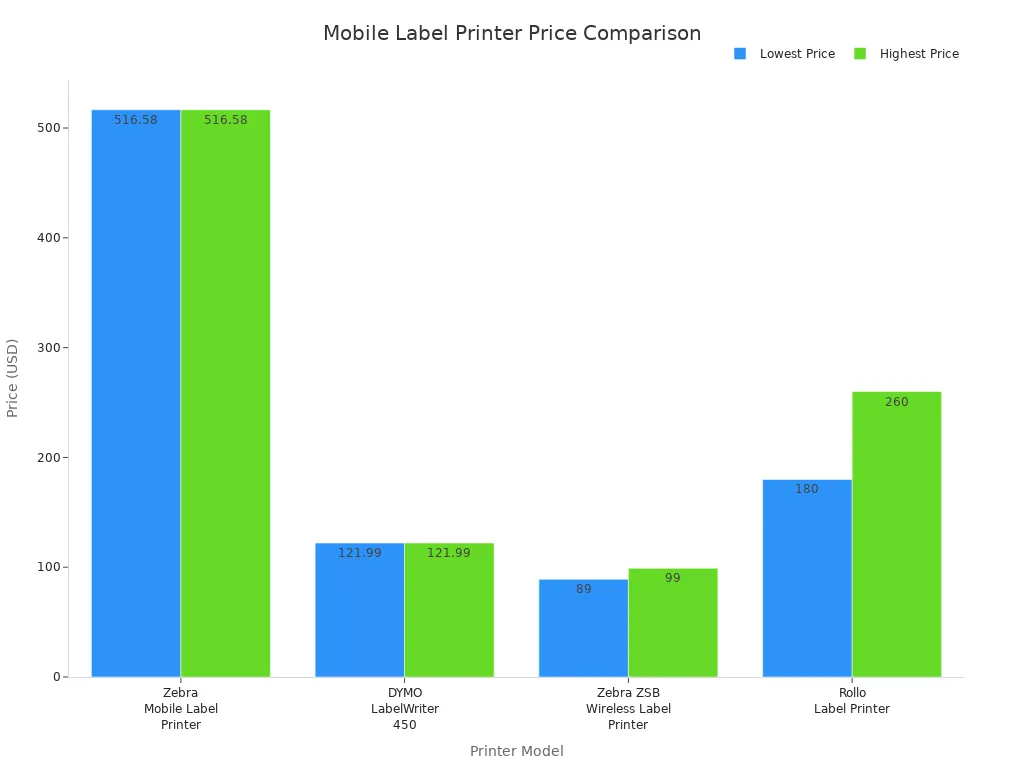
When teams compare top label printers, they should look at more than just price. Print speed matters for high-volume jobs. Battery life is key for mobile teams. Durability helps in rough warehouses. The best full-color label printer is important for teams who need color-coded labels for sorting or safety.
Note: The best paper label printer works well for simple, everyday labels. The best full-color label printer is better for special tasks like color-coded inventory or warning labels.
The Honeywell PM45 leads in ruggedness and print volume. It has an all-metal body and prints fast, making it a top pick for harsh environments. Zebra ZQ630 Plus and Brother RJ-4250W are strong choices for mobile teams who need reliable label printers. The Rollo Wireless and Brother QL-800 are the best paper label printer options for teams who want easy setup and budget-friendly prices.
The best label printer for your warehouse depends on your daily needs. Some teams need the best full-color label printer for special labels. Others want the best paper label printer for simple jobs. Always check print speed, battery life, and label compatibility before choosing.
Choosing Mobile Printer Labels
Matching Needs to Features
Picking the right label printer starts with knowing your warehouse. Teams need to see where labels will be placed. Some places are rough, dirty, or shaped strangely. Labels must stick well and be easy to read. Warehouses can be hot or cold, so printers must handle changes. Labels may touch oil, water, or chemicals, so they must last.
Here’s a simple checklist to help match features to needs:
Look at the surface and shape for each label.
Think about the temperature and humidity in your warehouse.
Check if labels will face chemicals or rough use.
Decide if labels go inside or outside.
Make sure printers and labels follow any rules.
Pick the right label size and printer resolution for barcodes.
Choose printers with good speed, battery life, and easy software.
Make sure printers connect with warehouse systems and devices.
Pick tough printers for busy or rough warehouses.
A warehouse with lots of work needs a best small business printer that prints fast and lasts long. Small spaces do well with a compact small business printer. Teams should always match printer features to their daily label jobs.
Budget Considerations
Warehouse managers want the best small business printer but do not want to spend too much. Good label printers help small businesses keep track of inventory and shipping. Some models, like Zebra ZD410 or Brother TD-4210D, work well and cost less. Bluetooth small business printers are great for quick, wireless printing.
Here are some tips to save money:
Use pre-printed labels for items that stay the same.
Pick a best small business printer that works with many label types.
Choose printers that are easy to fix and have good support.
Look for models that use both direct thermal and thermal transfer labels.
A best small business printer should balance price, speed, and how long it lasts. Warehouse teams should compare features and think about saving money over time. The right label printers help teams work faster and make inventory and shipping easier.
Benefit | Why It Matters |
|---|---|
Productivity | Saves time and helps workers do better. |
Cost Savings | Fewer mistakes mean spending less money. |
Efficiency | Makes warehouse jobs go faster. |
Get strong printers for hard work.
Choose cheaper printers for easy jobs.
Managers need to look at how work gets done. They should try out printers in the warehouse. It is smart to ask suppliers to show how printers work before buying.
FAQ
What label size works best for warehouse shelves?
Most teams use 2-inch or 4-inch labels for shelves. These sizes fit well and stay readable. Workers pick the size based on shelf space.
Tip: Test a few label sizes before ordering in bulk.
Can mobile label printers connect to warehouse software?
Yes, most mobile label printers connect with warehouse management systems. They use Wi-Fi or Bluetooth. Staff print labels from tablets, handhelds, or computers.
How long does a mobile printer battery last?
Battery life depends on the model. Many printers last 8 hours or more. Workers swap batteries or recharge during breaks to keep printing all day.
Printer Model | Battery Life (Hours) |
|---|---|
Zebra ZQ630 Plus | 8-10 |
Brother RJ-4250W | 8 |
Citizen CMP-30II | 8-10 |