
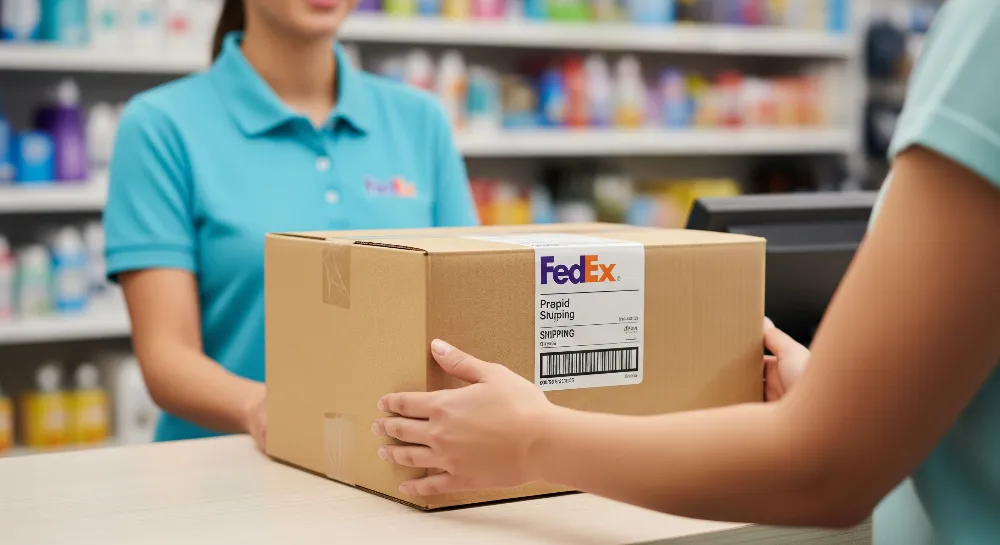
A FedEx prepaid shipping label allows you to ship FedEx package easily by paying for shipping online in advance. You can create the label before you ship your package, so there’s no need to wait in line or pay at a FedEx store. The sender can prepare the package at home, attach the prepaid label to the box, and ship FedEx package quickly. Prepaid shipping labels speed up the process since all shipping details are set before the package is sent. You can track your package immediately and know the cost upfront. Prepaid labels also simplify returns. To ship FedEx package, just apply the prepaid label and drop it off.
Key Takeaways
Make your FedEx prepaid shipping label online. Print it at home to save time. You will not have to wait in line. Pack your item so it is safe. Use enough padding to protect it. Close the box tightly before you put on the label. Put the prepaid label on the biggest side of the box. Do not cover the barcode with the label. Take your package to a FedEx location or an authorized store. You can also use a FedEx drop box if you want. If you do not have a printer, use QR codes at FedEx stores. You can also schedule pickups if you need more options.
What Is a FedEx Prepaid Shipping Label?

FedEx Prepaid Labels Explained
A fedex prepaid shipping label lets someone pay for shipping before sending a package. Many people use this when they want to return something or send items without going to a store. To make a fedex prepaid shipping label, the sender types in the shipping details online. The system makes a label with all the needed information. The sender prints the label and puts it on the package. Some companies send a fedex prepaid return shipping label to customers for easy returns.
Fedex prepaid shipping label options help both businesses and regular people. They save time because the sender does not have to pay at the counter. The label shows the shipping cost, address, and tracking number. This makes it easy to track the package from start to finish. People can also make a fedex prepaid shipping label for returns if something does not work or needs to go back to the seller.
Tip: Always make sure the label is clear and easy to scan. If the label is smudged or damaged, it can slow down shipping.
Benefits of Prepaid Labels
Fedex prepaid labels have many good points for shipping and returns. Here are some main benefits:
Convenience: The sender can make a fedex prepaid shipping label at home or work. There is no need to wait in line at a fedex location.
Speed: Using a prepaid shipping label makes drop-off faster. The package is ready once the label is on.
Easy Returns: Many stores put a prepaid label in the box. Customers can use this label for quick returns if they need to.
Tracking: Every prepaid shipping label has a tracking number. This helps the sender and receiver follow the package.
Cost Control: The sender knows the shipping cost before sending the package. There are no surprises at the counter.
People who use fedex prepaid shipping label options often find it simple and reliable. Prepaid labels help with returns, save time, and make shipping easier for everyone.
How to Ship FedEx Package
Prepare and Pack Your Item
To ship a package with a fedex prepaid shipping label, you need to get ready first. Pick a strong box that fits your item well. Leave space for padding on every side. FedEx says to use two or three inches of padding. Use bubble wrap, packing peanuts, or foam to protect your item. Make sure the item does not move inside the box.
Seal the box tightly with strong tape. Use plastic tape or water-activated tape that is at least three inches wide. Put tape on all the flaps and seams. The H taping method works best to keep the box closed. Weigh and measure your package to get the right shipping cost and label.
Tip: Check the address and packaging before you ship. This helps your package arrive safely and on time.
The table below lists packaging materials for different FedEx services:
Shipment Type / Service | Packaging Materials Offered | Notes |
|---|---|---|
FedEx expedited services | Free FedEx envelopes, paks, poly bags, boxes, tubes | You can order these online for free; white boxes say ‘Recycle me’ |
FedEx Express Saver® | Free packaging like above | Same as expedited services |
Select FedEx standard International services | Free packaging like above | Same as expedited services |
Other services (expedited, standard, economy) | Brown boxes for sale in many sizes | Special boxes can be bought |
Cold shipping shipments | Cold shipping packaging | Used for items that need to stay cold |
Freight shipments | FedEx Freight® boxes | Made for freight shipments |
Reusable packaging needs | Reusable packaging | Good for the environment |
Attach the Prepaid Label
After packing and sealing, put the fedex prepaid shipping label on the box. To make a fedex prepaid shipping label, enter the sender and receiver details, package weight, and shipping choices in FedEx Ship Manager or the FedEx Mobile app. Print the label clearly after making it.
Stick the label on the biggest side of the box. Make sure the barcode is easy to see and not covered. Do not put tape over the barcode or fold the label. If you need extra papers, like customs forms, attach them safely.
Note: Always make sure the label is easy to read and stuck on well. A bad label can slow down your shipment.
Use a QR Code at FedEx
Some packages use QR codes instead of printed labels. Stores may email a QR code for returns or special shipments. Bring the QR code on your phone or printed to a FedEx location. You can go to FedEx Office, FedEx Ship Center, Walgreens, or other partners.
Show the QR code to a worker at the store. The worker scans the code and prints the shipping label for you. Then, you put the label on your package and ship it from there.
Tip: If you do not have a printer, using a QR code at FedEx is easy and helpful.
Drop Off or Schedule Pickup
Once the fedex prepaid shipping label is on, you can drop off the package or set up a pickup. Dropping off is easy. Take your package to any FedEx spot, drop box, or store partner. Many places take prepaid packages and are open late.
To schedule a pickup, go to the FedEx Schedule a Pickup page. Enter your tracking number, pickup place, date, and time. After you confirm, make sure your package is ready for the FedEx driver. If you have problems, call FedEx Customer Service at 1-800-GO-FEDEX.
Note: Scheduling a pickup is good for busy people or big packages. You do not have to be home, but leave the package in a safe spot.
Shipping with fedex prepaid labels gives you choices. You can ship a fedex package by dropping it off or setting up a pickup. This works for returns, business, or personal packages. Using a prepaid shipping label saves time and makes shipping simple.
Where to Drop Off Your FedEx Package
FedEx Locations
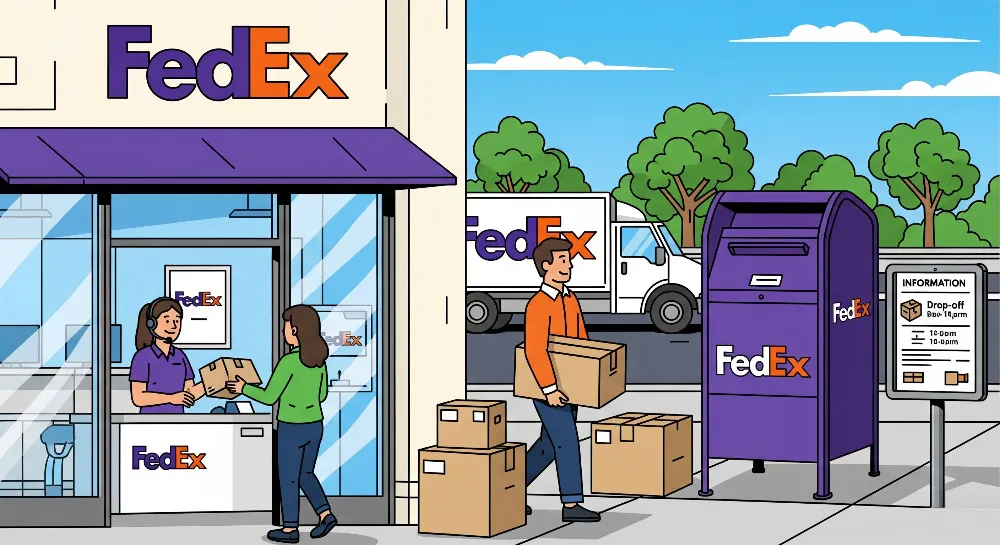
FedEx has many places where you can drop off packages with prepaid labels. You can go to FedEx Office, FedEx Ship Center, or FedEx Authorized ShipCenter. These places help with shipping and returns. If you have a QR code, staff can print your label for you. FedEx Office stores also give packing help and supplies. Many FedEx locations are open late, and some are open all day and night.
There are thousands of FedEx Drop Boxes across the country. These boxes take packages smaller than 20″ x 12″ x 6″. You can use Drop Boxes for FedEx Express, Ground, and SmartPost. Drop Boxes are open all the time, day or night. You do not pay extra to drop off packages at these places.
Many FedEx locations give extra help, like packing and making labels. Staff can answer questions about shipping and returns.
Authorized Retailers and Drop Boxes
FedEx works with many stores to make shipping simple. Walgreens takes FedEx packages that are packed and labeled. Dollar General lets you drop off FedEx packages with prepaid labels, even for returns. Office Depot and OfficeMax are also FedEx shipping spots. Some Walmart stores have FedEx Office inside, and they take packages with prepaid labels.
FedEx Authorized ShipCenter stores help with packing and shipping. They take prepaid FedEx packages and can print labels if you need. Some grocery stores and special shops also let you drop off FedEx packages. Most of these stores do not charge extra to drop off packages.
You can use FedEx Drop Boxes if you want no-contact drop-off. These boxes are always open and are good for small packages. FedEx has thousands of Drop Boxes at stores, groceries, and FedEx locations. Walgreens has almost 8,000 stores with FedEx drop-off and pickup. Store hours are different, but many are open late to help you.
Tip: Always check when your drop-off place is open. Some are open all day, so you can ship a package any time.
Common FedEx Prepaid Label Scenarios
Physical Label
Many people receive a fedex prepaid shipping label in the box when they order something online. This label makes a return easy. To use it, they pack the item, seal the box, and place the label on the largest flat side. The barcode must stay clear and uncovered. If the label gets damaged, they can print a new one from the email or online account. Printing your fedex prepaid shipping label at home works best with a good printer and plain white paper. After attaching the label, they can drop off the package at any fedex location or schedule a pickup.
Tip: Always double-check the return address and tracking number before sending the package.
QR Code Only
Sometimes, a store sends a QR code instead of a printed label for a return. The person brings the QR code on their phone or as a printout to a fedex location. Staff scan the code and print the return shipping label right there. This method helps people who do not have a printer at home. Walgreens, Dollar General, and FedEx Office can all help with QR code returns. After staff print the label, the person attaches it to the package and completes the return.
No Label or Need Help
If someone does not have a label or needs to create a fedex prepaid shipping label, they can follow these steps:
1. Gather the recipient’s name, address, package size, and weight. 2. Use a computer or mobile device to visit the fedex website or app. 3. Log in or create a fedex account. 4. Enter all shipping and return details, then select the prepaid billing option. 5. Review the information and create a fedex prepaid shipping label as a PDF. 6. Print the label using a good printer and attach it to the package. 7. Drop off the package or schedule a pickup.
FedEx Office offers in-store help for people who need to create or print a label. Staff can assist with design, printing, and even provide custom label options. Customer service also helps with questions about prepaid fedex return shipping label creation or printing. People can upload their label design and pick it up at a fedex office or have it shipped to them. Prepaid return labels make the return process simple and fast.
Note: Always ask for help at FedEx Office if you have trouble with your label or need to get your label printed.
Shipping a FedEx package with a prepaid label is quick and easy. You can make and print the label at home. Or you can use a QR code at a FedEx store. This way saves time and helps avoid mistakes. Important steps are checking your box, putting the label on clearly, and picking a good drop-off place. Prepaid labels help the planet because they use less paper. They also let sellers and buyers know the cost before shipping.
To make shipping simple, check all details, use strong packaging, and keep your printer working well.
FAQ
How can someone track a package with a prepaid label?
You can track your package using the tracking number. Go to the fedex website or app and type in the number. The tracking page will show where your package is as it ships.
What should a person do if the prepaid label is lost or damaged?
If you lose or ruin your prepaid label, you can print it again. Look for the label in your email or online account. Fedex Office can also print a new label if you need help.
Can a person drop off a package at any location?
You can drop off your package at any fedex store, drop box, or partner shop. Some places are open late or all day to make it easy.
Is it possible to schedule a pickup for a prepaid package?
Yes, you can set up a pickup online or by calling customer service. Make sure your package is packed and in a safe spot for the driver.
What happens if the package is too large for a drop box?
If your package is too big for a drop box, take it to a fedex store. You can also schedule a pickup. Staff can help with heavy or large packages.