
Small businesses need good mobile printer labels for shipping. The best five are Zebra ZQ500 Series, Brother QL-820NWB, DYMO LabelWriter 5XL, Rollo Wireless Printer, and Epson LabelWorks LW-PX900.
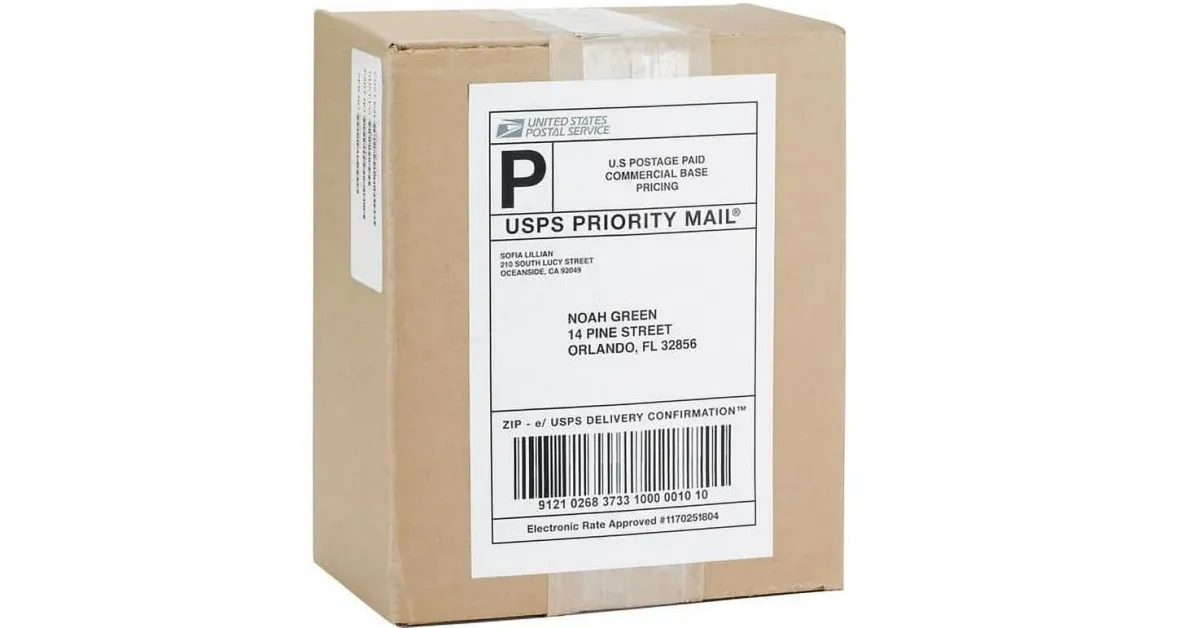
Picking the right label solution helps stop shipping mistakes. It also helps people work faster. In the U.S., small businesses bought over 250,000 label printers. This shows many people use them. When choosing, look at durability, print quality, connectivity, compatibility, and value. These things help make clear shipping labels. They also help keep mobile printing working well.
Key Takeaways
Pick mobile printers that are light and easy to move. Make sure they have batteries that last a long time. This helps you print labels anywhere without waiting.
Find printers that can connect in many ways, like Bluetooth or Wi-Fi. This lets you print fast from your phone, tablet, or computer.
Choose printers that make clear labels. Try to get 203 or 300 DPI for good quality. This helps barcodes and addresses scan and read well.
Get strong printers and labels that do not break easily. They should resist drops, water, and rough use. This keeps shipping easy and safe.
Pick a printer that fits your business size and shipping needs. This saves time, stops mistakes, and helps you spend less money.
Key Features
Portability
Small businesses need to print labels in many places. These places can be warehouses, stores, or delivery trucks. Portable printers make this easy. They are small and light. Workers can carry them without trouble. The MakeID L1 is very light. It weighs only 119 grams. You can hold it in one hand. Battery life matters too. A good battery lasts all day. Workers do not need to stop and recharge. Some printers last up to 90 days on standby. This helps with long shifts and busy days. Portability lets teams print labels right away. This saves time and stops mistakes.
Printer Model | Size (mm) | Weight (g) | Battery Life | Portability Impact |
|---|---|---|---|---|
100 x 40 x 55.5 | 119 | Up to 90 days standby | Easy to carry, fits in small spaces | |
iDPRT HM-T300 PRO | Compact, 3-inch | N/A | Not specified | Wireless, ideal for on-the-go printing |
Connectivity
Connectivity helps printers work with many devices. The best mobile printers use Bluetooth, Wi-Fi, and USB. Bluetooth connects fast to phones or tablets. This is good for printing while moving. Wi-Fi lets many devices print at once. This helps in busy offices. USB gives a strong connection for fixed spots. The Brother RuggedJet 3250WBLF has all three options. This lets businesses pick what works best. Good connectivity makes printing faster. It also helps stop mistakes.
Connectivity | Stability | Range | Multi-device Support | Power Use | Security | Use Case |
|---|---|---|---|---|---|---|
USB | High | ≤5 meters | Single device | Low | High | Fixed stations |
Wi-Fi | Med-High | ≤30 meters | Multiple devices | Med-High | Medium | Wireless offices, cloud printing |
Bluetooth | Med-Low | ≤10 meters | Single device | Very Low | Medium | Mobile, outdoor, delivery |
Print Quality
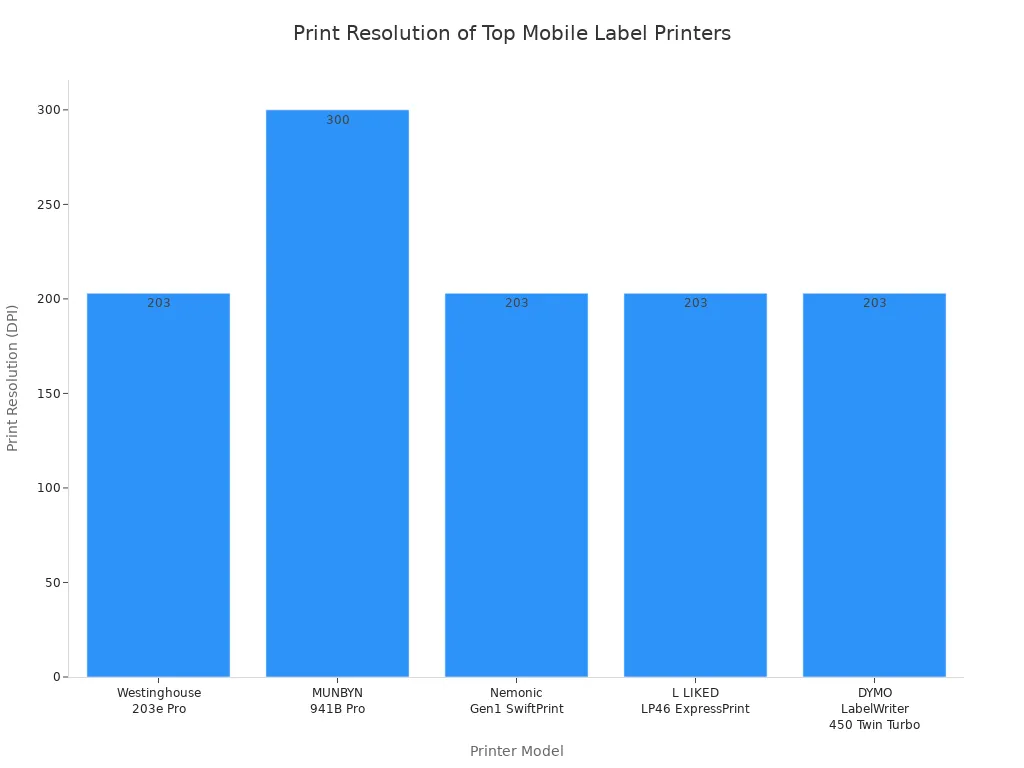
Clear labels help packages get to the right place. Print quality depends on resolution and printing type. Most mobile printers use direct thermal printing. This does not need ink or ribbons. It keeps printing cheap and simple. Print resolution is measured in DPI. DPI means dots per inch. Higher DPI makes text and barcodes look sharper. Many printers have 203 DPI. This works for most shipping jobs. Some, like the MUNBYN 941B Pro, have 300 DPI. This makes labels even clearer. Good print quality helps barcodes scan easily. It also keeps addresses easy to read.
Label Material
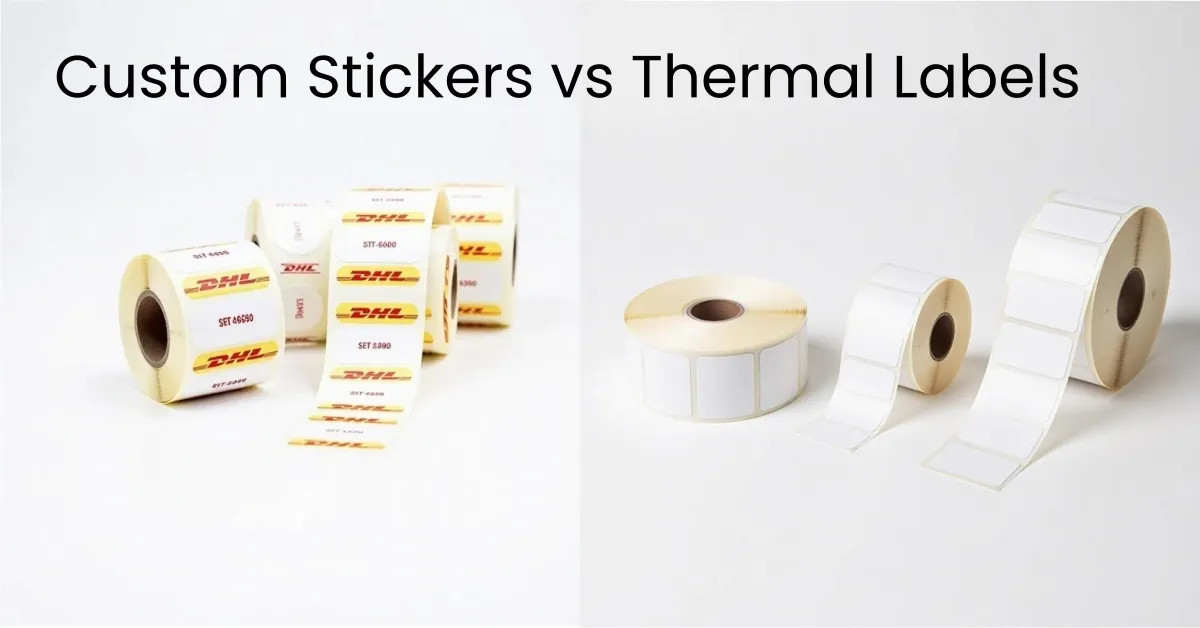
The right label material keeps labels readable during shipping. Paper labels are good for short trips. Synthetic labels resist water, chemicals, and sunlight. These are better for tough conditions. Some printers use thermal transfer printing. This makes labels last longer. Others use direct thermal printing for quick labels. Adhesive types matter too. High-tack adhesives stick to rough or wet surfaces. Removable adhesives are good for short-term use. Picking the right label material helps labels stay clear and last longer.
Durability
Durability keeps printers and labels safe from harm. Many mobile printers are tough. Some, like the BIXOLON SPP-R310, can survive drops from 1.8 meters. They have IP54 ratings for dust and water. These features help printers work in hard places. Warehouses and outdoor sites need strong printers. Durable printers and labels cut down on problems. They help shipping run smoothly.
Printer Model | Drop Resistance | IP Rating | Notes |
|---|---|---|---|
BIXOLON SPP-C200 | 1.5 m (5 ft.) | IP42 | Rugged mobile use |
BIXOLON SPP-R310 | 1.8 m | IP54 | High protection, outdoor use |
Top Mobile Printer Labels
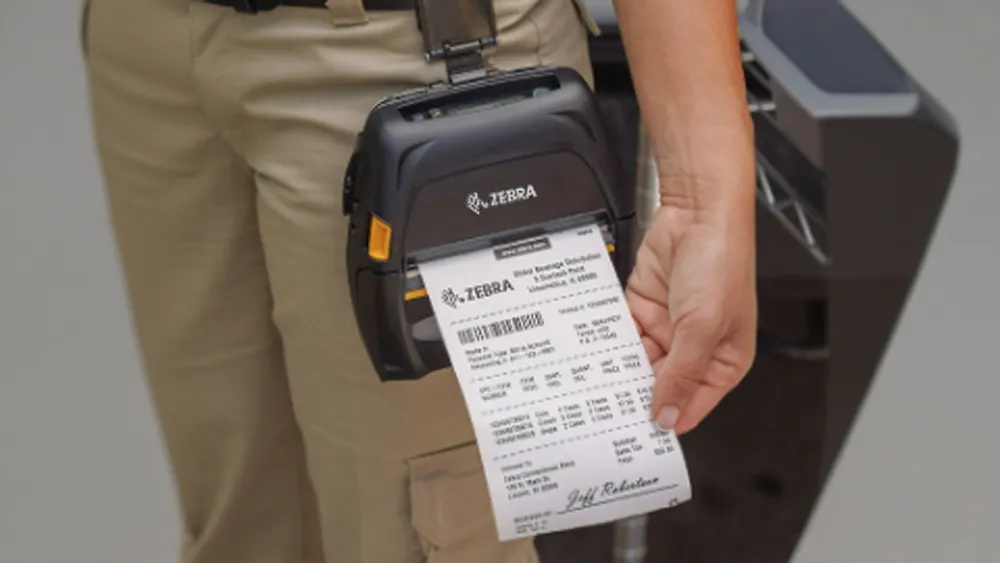
Image Source: zebra
Zebra ZQ500 Series
The Zebra ZQ500 Series is strong and works well in hard places. It can handle dust, water, and drops from over six feet high. This printer prints fast, up to 5 inches each second. It works with many types of labels, like direct thermal labels. You can connect it with Bluetooth, Wi-Fi, or NFC. This makes it simple to use with phones and tablets. The buttons are big, so workers can use gloves. The menu is easy to understand. You can check and update the printer from far away.
Best Use Case: This printer is great for businesses that need tough mobile printer labels in warehouses, trucks, or outside.
Specification Category | Details |
|---|---|
Rugged Design | MIL-STD 810g certified; IP54 rated; withstands drops from 6.6’ (10’ with exoskeleton case) |
Print Resolution | 203 dpi (8 dots/mm) |
Print Speed | Up to 5″ (127 mm) per second |
Connectivity | Bluetooth 4.0, dual Bluetooth, Wi-Fi, NFC PrintTouch pairing |
Usability Features | Large buttons, intuitive media loading, sleep mode |
Remote Management | Link-OS, Profile Manager, Cloud Connect, Syslog diagnostics |
Supported Barcode Symbologies | Linear and 2D barcodes |
Brother QL-820NWB
The Brother QL-820NWB prints fast and connects in many ways. It can print up to 110 address labels each minute at 300 dpi. The labels look clear and sharp. You can use Bluetooth, Wi-Fi, Ethernet, or USB to connect. You can print from a computer, phone, or tablet. Use AirPrint or the Brother app to print. The screen lights up, so you can use it by itself. You can add a battery to take it anywhere. It prints both direct thermal and thermal transfer labels, so the labels last longer.
Best Use Case: This printer is best for small businesses that want quick, flexible mobile printer labels and easy use with many devices.
Feature | Details |
|---|---|
Print Speed | Up to 110 labels/minute at 300 dpi |
Connectivity | Bluetooth, Wi-Fi, Wireless Direct, Ethernet, USB |
Mobile Printing | AirPrint, Brother iPrint&Label app |
Additional Features | Backlit LCD, optional battery |
Software Support | Free SDKs for Windows, iOS, Android |
DYMO LabelWriter 5XL
The DYMO LabelWriter 5XL is made for printing lots of shipping labels. It prints up to 53 labels each minute using thermal printing. You do not need ink or toner. It prints standard 4″x6″ shipping labels for big carriers. The printer knows the label size and type, so you do not run out or make mistakes. You can use USB or Ethernet to connect. It works with shipping sites like Shopify and eBay. The printer is small and saves space. The DYMO software helps you make and print labels fast.
Prints wide 4″x6″ labels for USPS, FedEx, UPS, Amazon, eBay, and Etsy.
Has Automatic Label Recognition and counts labels.
Uses eco-friendly, BPA-free, FSC-certified labels.
Easy to set up and works well.
Best Use Case: This printer is best for businesses that need cheap, steady mobile printer labels for lots of shipping and online sales.
Feature/Aspect | Details |
|---|---|
Printing Technology | Thermal printing (no ink or toner needed) |
Print Speed | Up to 53 labels per minute |
Print Quality | 300 dpi, smudge-free, crystal clear labels |
Label Compatibility | Proprietary DYMO labels only |
Setup and Software | DYMO Connect software, customizable over 60 label types |
Price Range | |
Durability and Warranty | Durable build, 2-year warranty |
Environmental Aspect | Made from recycled materials; eco-friendly labels |
Rollo Wireless Printer
The Rollo Wireless Printer prints labels fast and is easy to use. It prints up to 150mm each second. It works with many label sizes and materials. You can print wirelessly from your phone or tablet with the Rollo app. It connects to shipping sites like ShipStation, Shopify, and Amazon. The printer has only two buttons, so it is simple to use. You can make old Rollo printers wireless with a Bluetooth adapter.
Lets you make labels from mobile devices.
Works with Rollo Ship Manager for tracking and saving money.
Has USB, Ethernet, Wi-Fi, and Bluetooth connections.
Gives 24/7 live chat help.
Aspect | Strengths of Rollo Wireless Printer | Weaknesses of Rollo Wireless Printer |
|---|---|---|
Printing Speed | N/A | |
Print Resolution | N/A | Lower print resolution (203 dpi) compared to DYMO’s 300 dpi |
Label Size Support | Wide range of label sizes and materials | Maximum label width slightly less than some competitors |
Connectivity | USB, Ethernet, Wi-Fi, Bluetooth | N/A |
Cost | Lower cost per label, affordable replacement parts | Higher upfront cost |
Design & Usability | Minimalistic control panel, easy to use | Larger industrial design |
Customer Support | 24/7 live chat support | N/A |
Best Use Case: This printer is good for busy online stores that need wireless, fast mobile printer labels.
Epson LabelWorks LW-PX900
The Epson LabelWorks LW-PX900 is tough and can make many kinds of labels. It uses wide tapes up to 1.5 inches and heat shrink tubes. This makes it good for different jobs. The printer has a high print resolution of 360 dpi. This means the labels are clear and easy to read. It can run on AC power or a battery for up to nine hours. The keyboard and color screen make it simple to create labels. It uses water-resistant, strong tapes for hard shipping jobs.
Feature Category | Epson LabelWorks LW-PX900 Details |
|---|---|
Tape Compatibility | Wide tapes up to 1.5″ (36mm), heat shrink tubes up to 7/8″ (21mm), water-resistant, extra-strength tapes |
Build Quality | Industrial-grade, robust design; withstands drops from 6 feet |
Print Quality & Speed | 360 dpi resolution; 35 mm/s print speed |
Connectivity | PC, Mac, smartphones; Bluetooth, USB, app interfaces |
User Interface | QWERTY keyboard, 2-color LCD screen |
Power Options | AC power or lithium-ion battery, up to 9 hours battery life |
Tape Variety & Durability | Water-resistant, extra-strength, abrasion-resistant tapes |
Best Use Case: This printer is best for businesses that want strong, clear mobile printer labels for tough shipping places.
Best Label Printer Comparison
Setup and Ease of Use
Small business owners want printers that are easy to set up. The Brother QL-820NWB and DYMO LabelWriter 5XL are simple to install. You can connect them to computers or phones in just a few minutes. The Rollo Wireless Printer has only two buttons and clear steps. Zebra ZQ500 Series has big buttons and a simple menu. This helps people who wear gloves at work. Epson LabelWorks LW-PX900 has a keyboard and color screen. This makes making labels quick and easy. Many printers have software that is easy for beginners. Even new users can print labels right away.
Print Speed
Fast printing helps businesses send more packages quickly. The Rollo Wireless Printer and MUNBYN ITPP941 print up to 150 mm per second. These are some of the fastest printers you can get. The Brother QL-800 prints about 93 labels each minute. The DYMO LabelWriter 4XL prints 50 labels per minute. These speeds are good for busy shipping rooms and online stores. The chart below shows how fast the top printers are in real life.

Cost and Value
A good label printer should be fast and save money. Ongoing costs are important for small businesses. DYMO LabelWriter 5XL and 4XL need special labels that cost more over time. Brother and Rollo printers use regular label rolls, which are cheaper. Epson LabelWorks tapes cost more but last longer in tough places. Customer support and warranty are also important. Rollo and Zebra give 24/7 live chat and long warranties. DYMO gives a two-year warranty and good help. Small businesses should look at these things before they buy a printer.
App Integration
Modern shipping needs printers that work with online stores. The best printers connect to sites like Shopify, Amazon, and eBay. MUNBYN 941B Pro and HPRT SL42 work with USPS, FedEx, and other carriers. Bluetooth and Wi-Fi let you print from your phone or tablet. Quick pairing and live previews make shipping faster. These features help orders get done quickly and with fewer mistakes.
Choosing a Label Solution
Assessing Business Needs
Each small business has its own shipping needs. To pick the best label solution, owners should think about a few things:
If the printer works with your label formats, it helps stop jams and bad prints.
Fast printing is important when you ship a lot. Thermal printers usually print faster than others.
You want labels and barcodes to look clear, so pick 203 or 300 DPI.
Some features, like label cutters, print job lines, and mobile support, make work easier.
Roll labels are good for lots of labels. Fanfold labels are better for printing many in a row.
Owners should also think about saving money, how simple the printer is, and if it works with what they already use.
Picking the right label material matters. Polyester lasts longer. Removable adhesive is good for short-term labels. This helps labels stay on during shipping.
It is important that the printer works with your online store and shipping software. Printers should work with sites like Shopify or WooCommerce and tools like ShipStation or Stamps.com. This keeps everything working together and makes shipping easy.
Matching Features to Workflow
Choosing the right label printer for your business helps save time and money. The table below shows what features help different business sizes:
Business Size | Recommended Printer Features | Typical Use Cases | Reasoning / Benefits |
|---|---|---|---|
Small Business | Direct thermal printer, 203-300 dpi, USB/Bluetooth | Address labels, POS receipts, shelf labels | Affordable, compact, easy to use, low maintenance, good for moderate label printing |
Medium Business | Mid-range thermal, 300 dpi, Wi-Fi/network | Warehouse sorting, barcode labels | Faster speed, network sharing, multiple formats, better than manual labeling |
Large Enterprise | Industrial thermal transfer, rugged build, auto rewind | Pallet labels, compliance labels | High durability, large volume support, system integration, handles complex workflows |
A small shop might need a small printer with Bluetooth. A warehouse may need a faster printer that works on a network. Picking the right label printer for your work keeps shipping fast and simple.
Tips for Efficiency
Small businesses can ship better by following these tips:
Use good thermal labels that do not smudge and do not need ink.
Print barcodes clearly and keep them flat so they scan easily.
Check shipping details before printing to stop mistakes.
Set printers to high-quality mode and clean them often.
Print many labels at once to save time.
Stick labels flat and tight on packages.
Use mobile apps to print wirelessly when you are not at your desk.
Tip: Always make sure your label printer works with the label size and type you need. This helps you save time and supplies.
Small businesses have many good mobile printer label choices. Some top brands are Zebra, Brother, DYMO, Rollo, and Epson. Each label solution is good at something different. Some are fast, some are tough, and some are easy to carry. Owners should pick a label printer that fits their shipping needs. They should think about print quality, price, and how much space they have. Fast thermal printers are best for shipping lots of packages. If you want to save money, choose a printer with low running costs. Portable printers let teams print labels anywhere they need. Strong, compatible printers that fit your work style will make you happy for a long time.
FAQ
What should a small business check for software and platform integration?
A business should confirm the printer works with its e-commerce platform, like Shopify or WooCommerce. It should also check for support with shipping software, such as ShipStation or Stamps.com. This avoids problems when printing shipping labels.
How important is battery life for a mobile label printer?
Battery life matters a lot. A strong battery lets workers print labels all day without stopping to recharge. This keeps shipping fast and smooth, especially for teams working away from desks.
Do all label printers require special label rolls?
No, not all printers need special rolls. Some, like DYMO, use only their own labels. Others, like Rollo, work with standard rolls. Using standard rolls often saves money over time.
How can a business get help if the printer stops working?
Most top brands offer customer support by phone, chat, or email. Many also give a warranty, usually one or two years. Good support and a long warranty help a business fix problems quickly.
How does a business pick the best mobile label printer?
A business should look at print speed, label cost, battery life, and software compatibility. It should also check if the printer fits its shipping needs and works with its current tools.